Page History
...
An event handling routine for the TreeView.ItemExpanding will test the level being expanded and load employees or employee notes as appropriate.
1. On the Design tab, select the TreeView component, and on the Details / Events tab, double click on ItemExpanding to create an event handling routine.
2. On the Design tab, select the TreeView and press F2. On the Features tab, expand the property CurrentItem. Expand the next level, PRIM_TVIT to see property Level. Double click on Level to display help in the default browser.
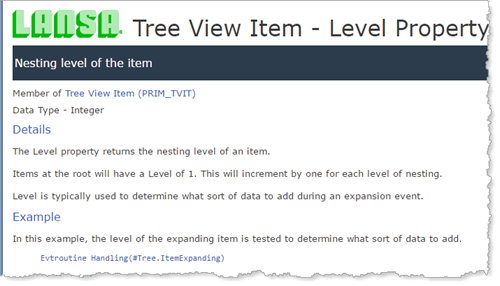
The help includes example code and explains that TreeView.CurrentItem.Level returns the nesting level of the current item.
3. Complete the TreeView.ItemExpanding event routine by adding a Case loop for TreeView.CurrentItem.Level.
...
Your code should look like the following:
Evtroutine Handling(#TreeView.ItemExpanding) Options(*NOCLEARMESSAGES *NOCLEARERRORS) Case Of_Field(#TreeView.currentitem.level) When (= 1) #com_self.loademploys Deptcode(#std_obj) Parentitem(#TreeView.currentitem) When (= 2) #com_self.loadnotes Employcode(#std_obj) Parentitem(#TreeView.currentitem) Otherwise Endcase Endroutine
4. This step removes the code which loads all data initially.
a. Remove the code which invokes LoadEmploys from the LoadDepts event routine
b. Remove the code which invokes LoadNotes from the LoadEmploys event routine.
5. Compile and test the form. All departments are loaded initially. Expand a department to load employees for this department. Expand an employee to load notes for this employee.
...