Page History
...
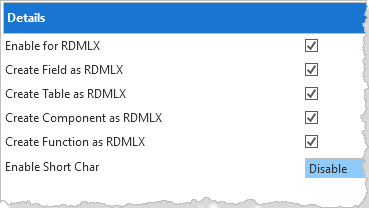
a. Ensure the option Enable Partition for RDMLX has been selected.
To verify that the Demonstration Material has been included:
...
2. Make sure that the files xEmployee, xDepartments, xEmployeeImages and xEmployeeNotes are present.
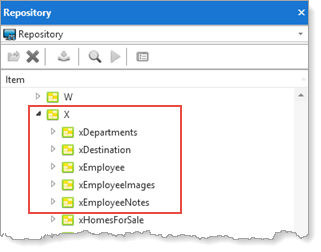
If these files are not present, and you are working with an independent LANSA System:
...
3. On the Visual LANSA Logon dialog, select the partition you will be using.
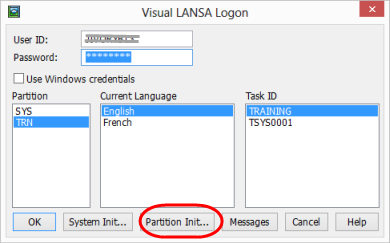
4. Press the Partition Init… button BEFORE you press any other button.
5. In the Partition Initialization dialog select the Demonstration material option.
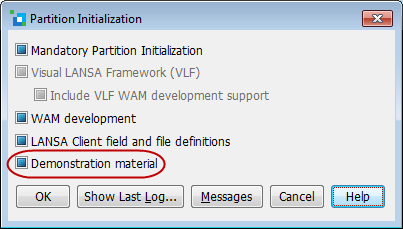
6. Press OK and wait for the import to finish.
For details, refer to the Partition Initialization options in the Visual LANSA Administration Guide.
If you are working with a slave LANSA system and the partition is not set up as required, contact your LANSA server administrator.