Page History
...
| Map a drive and copy the files directly. If you do this, make sure the copied files have CCSID 1208. |
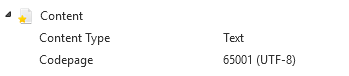
or | Use the VL-IDE to create an external resource that points to the .DAT file and then use check-in to move it to the IBM i server. Make sure your external resource has this definition:
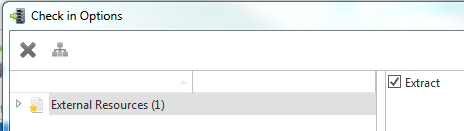
Whenever the file changes in your development environment, you need to: 1. Open the external resource. 2. Save it (to pick up the file change). 3. Check it in. (There is an option on check in called Extract. Make sure it is checked.)
|
or | Use Upload Script in the Execute Framework as VLF-ONE Application dialog. |
Generating the web resources can be a time consuming process, so you might want to selectively disable a language while you are developing. When you have completed your development cycle you can then (re)enable the language to produce final copies of the resources ready for deployment.
This property is in the Web/RAMP Details tab.