Page History
In this step, you will learn how to compile the WAM.1. Make
- Make sure you have the iiiFirstWAM (where iii are your initials) open in the LANSA Editor.
...
- Click on the dialog box launcher in the Compile group on the ribbon to display the Compile options dialog:
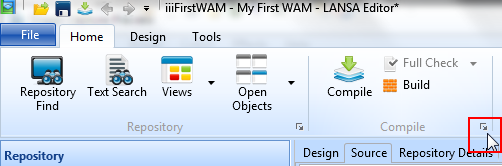
...
- On the Compile options dialog, ensure that only the Technology Services, LANSA:XHTML is selected. These tutorials will be generating web applications for the browser only.
...
- These options will be retained for future compiles.
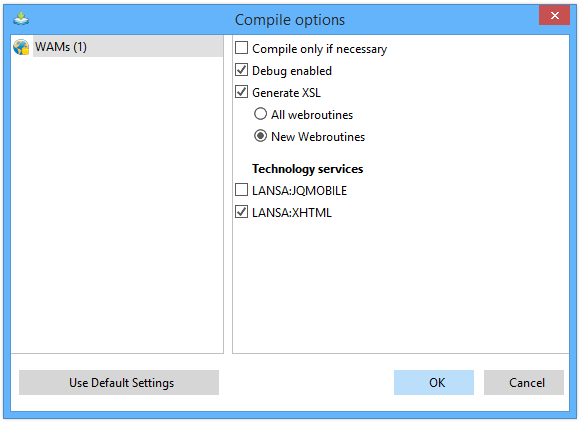
...
- Click OK to compile the WAM. The status of the compile is displayed in the Compile tab:
...
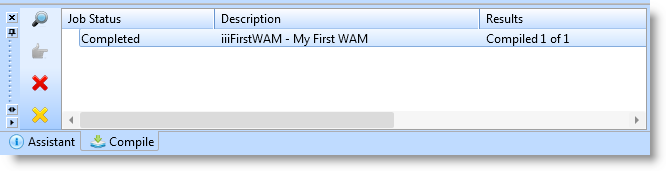
The compile will generate a browser web page design (XSL) for you.
The generator performed the following steps:
...