Page History
...
If you leave iiiNavigation open in the editor, when setting the on_click_xxxx properties in the following steps, you will be able to select the WAM name and WebRoutine name from a dropdown list.
- Open WAM iiiWorkingLists in the LANSA editor.
- Open ListMain in the Design view.
- This step will add an anchor weblet to the list and configure its properties:
- From the Weblet Templates tab, drag and drop the Anchor weblet onto the EMPNO field.
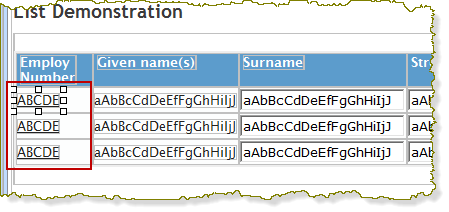
Notice the anchor is applied to every row in the table. - Set the currentrowhfield property to EMPNO.
- Set the currentrownumval property to $EMPNO.
- Set the reentryvalue property to A.
- Set the on_click_wamname property to iiiNavigation.
- Set the on_click_wrname property to NavMain.
This will call NavMain with a reentry value of 'A' (remember, that is the local search) and will also pass the employee number of the clicked link.Note Note: You can display help text for weblet properties:
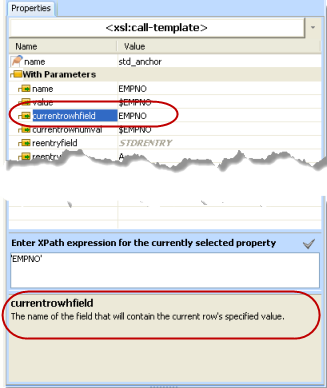
Currentrowhfield is the name of the field that will contain the current row's specified value.
Currentrownumval is the value of the field specified in the currentrowhfield property. To specify a field value in a list use the syntax $FIELDNAME.
These properties enable the WebRoutine called via the on_click_wrname property to process values for the current row.
- From the Weblet Templates tab, drag and drop the Anchor weblet onto the EMPNO field.
- Save and run your modified WebRoutine LISTMAIN in a browser. Test the link to iiiavigation / NavMain. The employee details for the employee number selected in iiiWorkingLists should be displayed.
You can use the browser back button to return to iiiWorkingLists.