Page History
...
- Weblet properties can be assigned string literals or XPath expressions. The XSL processor then evaluates the XPath expression. XPath expressions accept general logical comparison operators <, >, != <=, >= etc., as well as mathematical operators *,/,+,- etc.
For a quick reference to XPath see: www.mulberrytech.com/quickref/XSLT_1quickref-v2.pdf.
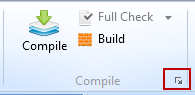
For a more detailed reference, see www.w3schools.com. - With the WAM open in the editor, you can compile from the Home ribbon or open the Compile options dialog from the Menu button on the Compile group on the Home ribbon.
- You can also use a context menu by selecting a WAM in the Repository tab or Favorites/Last Opened tab.
- For a new WebRoutine, it is not necessary to do a compile to generate the XSL, since a
 Build also generates the XML / XSL, but without doing a full compile.
Note Note: XSL can be generated for a selected WebRoutine using the context menu option, WebRoutine: nnnnnnn / Generate XSL in the LANSA Editor.
What I Should Know
- How to create a simple enquiry WAM.
- How to open the Design view for a specific WebRoutine.
- What is generated by a WAM compile.
- A WAM may contain more than one WebRoutine
- A WebRoutine name may be up to 20 characters long.
- There is one WAM layout generated for each WAM with the name xxx_layout, where xxx = the WAM name.
- By default, fields are visualized as a label and edit box
- Fields are displayed in a table
- A WebRoutine may be called by a weblet such as a push button, via its on_click_wrname property.
- Field names or a group_by may be used to define fields in a web_map.