Page History
...
Visual LANSA Debug is a service that is started when VL starts. See File / Editor Options and select Debug:
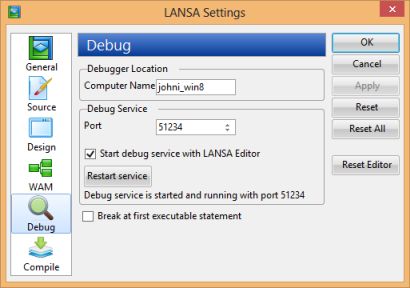
This shows that the debug service is running on Port 51234.
...
To access this screen use the LANSA/CONFIGURE IBM i command and select, COMMS_EXTENSIONS followed by COMMS_ROUTING_RECORDS. See the LANSA for i User Guide for detailed information.
LANSA Web running on the IBM i must be configured to allow interactive debug. This setting enables you to ensure that debug can only operate on your development or test system. The LANSA Web Administrator enables this setting to be enabled:
...
- Check in your WAM iiiSecMaint. Its WAM layout, iiisecma_layout and the common WAM layout iiilay01 will be included automatically. Check this by selecting the WAM and using the Cross Reference dialog.
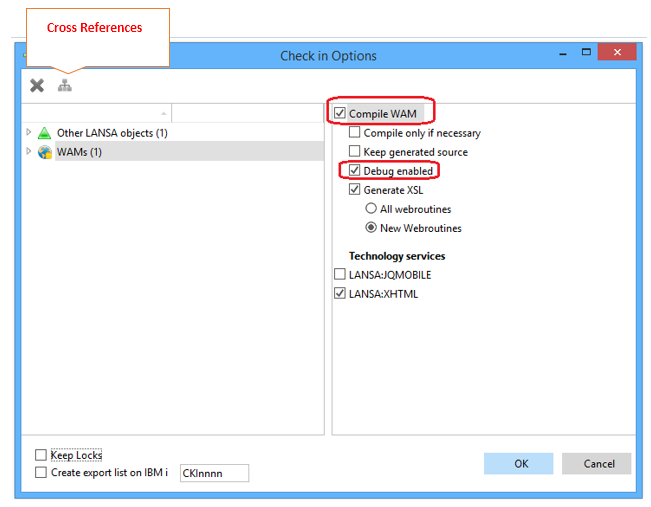
Make sure you check the options to compile the WAM and make it debug enabled. - In the Local Cross References dialog expand the WAM layout. iiisecma_layout.
- Select the common layout, iiilay01 and click the green cross button as shown, to add it to the list of objects to be checked in.
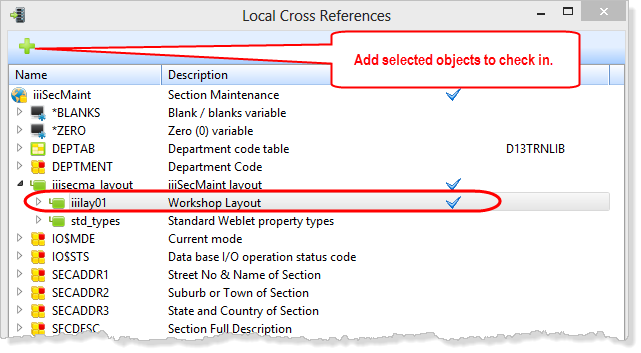
If required, you can select any other locally defined object and click the green cross button as shown to include these in the check in.
- Select the common layout, iiilay01 and click the green cross button as shown, to add it to the list of objects to be checked in.
- Review the Check-in tab and ensure that your check-in and compile was successful.
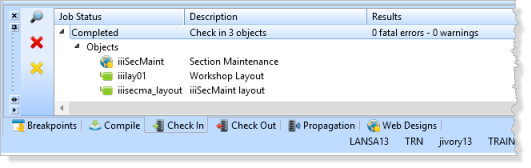
- You now need to change your WAM execution settings, so that when you run the WAM from the Design view, it is run on the IBM i server.
- From the File tab, open the Editor Options dialog and select the WAM settings.
- Change the Application Base URL setting to point to the server name for your LANSA IBM i system. Alternatively specify an IP Address.
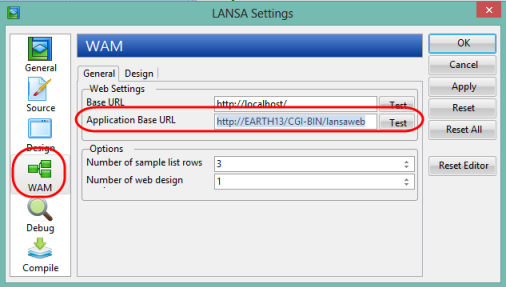
- Use the Test button to check your entry is correct.
- Click OK to save your changes.
When you run your WAM it will now execute on the IBM i server.
- From the File tab, open the Editor Options dialog and select the WAM settings.
- From the Design view, Run your Begin WebRoutine to prove you can run the WAM on the IBM i server.
- You should currently have the ADD_ENTRY statement set as a break point. Run your WAM again, this time in Debug mode. You will now be able to debug your WAM exactly as before, when you were running the WAM locally.