Page History
...
This exercise provides a custom weblet (iii_ListRow) for you to use. Although you will not be examining its XSL and HTML, it will demonstrate how list data can be treated in a different way.
The List Row Weblet (iii_ListRow)
...
- The data fields – the values you want to output
- Fields holding the labels (or captions) for each of the output fields.
- A field containing a path and file name for a small employee image.
- Each row is wrapped in a <fieldset> tag. The list also contains a field and label field for the <legend> tag that provides the caption at the top left corner of the group box that the fieldset provides.
- The WebRoutine should map the working list with a *private attribute, since the List Row weblet will format the output.
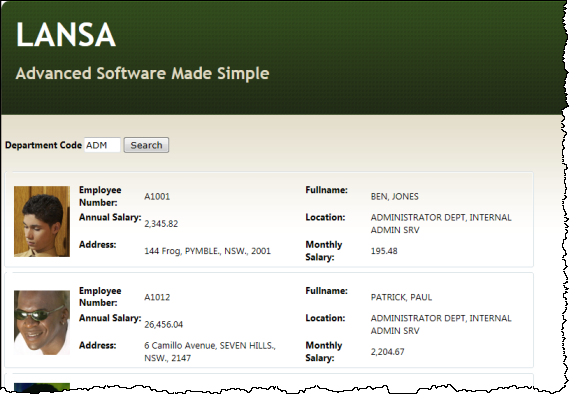
The WAM will be a simple enquiry that lists employees by department.
To complete this exercise, complete the following:
Step 1. Create the List Row Weblet – iii_ListRow
Step 2. Create WAM iiiUseListRowWeblet
| Anchor | ||||
|---|---|---|---|---|
|
...
Step 3 of this WAM requires a set of small images for employees. If you haven't already done so, you can download these from the documentation page of the LANSA web site as described in the Before You Begin section at the start of these WAM チュートリアル (英語).
Copy the images from the PHOTOS folder into to your web server /images path, such as: C:\Program Files (x86)\LANSA\WebServer\images. If you are running your WAMs on the IBM i, copy this folder to: /LANSA_<PGMLIB>/webserver/images where <PGMLIB> is your LANSA program library.