Page History
...
- Run the WAM iiiUsingCSS to display a list of employees. Using IE Developer Tools select the first input field in the first column (Employee Number).
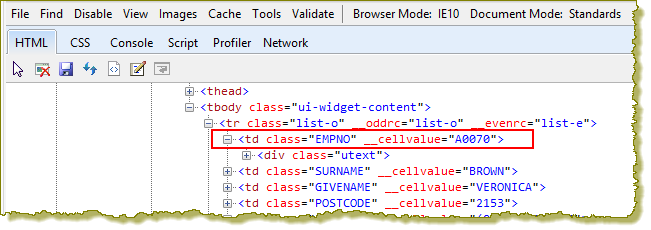
Note that the <td> tags for each column have a class equal to the field name. In the first column this is EMPNO. - Add this code to your style sheet and save the changes:
     TABLE#EMPLIST tr.list-o > TD.EMPNO
     {
          background-color: #d78700;
     }
     TABLE#EMPLIST tr.list-e > TD.EMPNO
     {
          background-color: #d78700;
     }
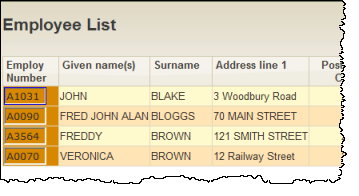
This will override the background color for odd and even rows in table cells with a class of EMPNO. - Run your WAM iiiUsingCSS and display a list of employees. Your results should look like the following: