Page History
...
You may require your WAM layouts to closely resemble your company web site standards and appearance. If you are building a business to consumer application, then this will certainly be the case. This exercise demonstrates how you can start from your own layout and embed this within a layout weblet so that it can be applied to your WAM application.
What is a WAM Layout?
A WAM layout is a specific type of weblet that is used to give structure to the web page associated with a webroutine and to interface with any documents referenced in the layout definition for functional or aesthetic values.
...
A layout weblet is simply a special kind of weblet which contains the XSL and XHTML which together with appropriate cascading style sheets, defines the content and appearance of a web page. Once you have created and tested your own layout weblet, you can use it as a common layout when creating each WAM which makes up your application.
What do Layouts Determine / Control?
...
Of course if you define your own layout, you can decide what common elements need to be included in the interface.
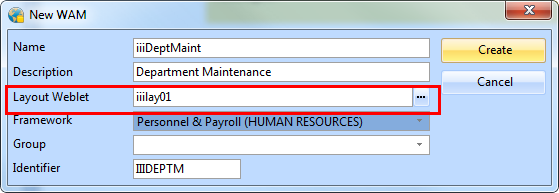
How is a WAM Layout assigned to a WAM?
...
The Generate XSL options on a WAM compilation do not regenerate the WAM-specific layout. A WAM-specific layout is generated only once. Any subsequent modifications to the WAM-specific layout, or the assignment of a different layout, must be performed in the LANSA Editor.
How Do I Create My Own Site Layout?
...
In this exercise you will begin by creating your "company web page" layout outside of LANSA, together with a style sheet to control its appearance. You will then build a layout template based on this company layout and test it by building a simple WAM which uses it.
To achieve these objectives, you will complete the following:
Step 1. Create a Simple Company Test Layout
Step 2. Create a Layout Template
Step 3. Refine Layout Weblet Definition