Page History
This connection type is via an ODBC link. Most data movement is performed using the ODBC connection. The connection object Properties window has the following fields:

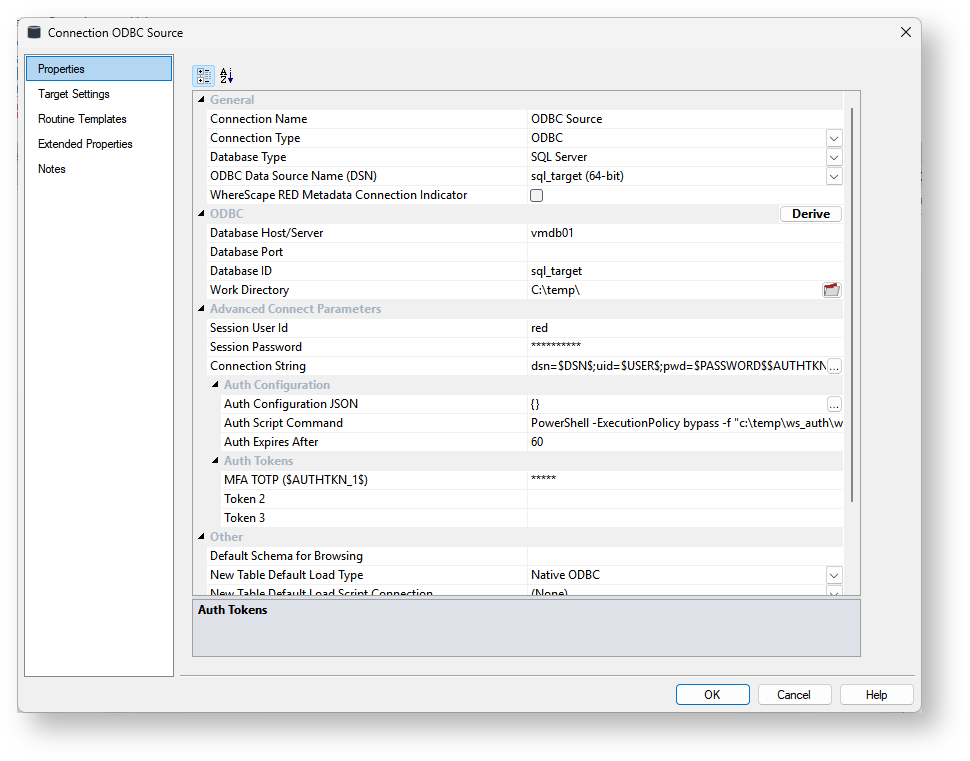
General
Options | Description | ||
|---|---|---|---|
Connection Name | Name used to label the connection within WhereScape RED. Typically for SQL Server and DB2, this is Data Warehouse. For target databases like Greenplum, Netezza, or PDW the Data Warehouse connection can be renamed to Repository. | ||
Connection Type | Indicates the connection source type or the connection method, such as Database, ODBC, Windows, or Unix. Select the ODBC connection type. | ||
Database Type | Type of database, the default is (local). | ||
ODBC Data Source Name (DSN) | ODBC Data Source Name (DSN) as defined in the Windows 32-bit ODBC Data Source Administrator.
| ||
WhereScape RED Metadata Connection Indicator | Distinguish the special connection that identifies the WhereScape RED data warehouse/metadata repository. This option must be enabled for Data Warehouse/Metadata Repository type connections.
|
...
| Note |
|---|
If the source database does not support Windows authentication, a username and password must be specified in the User ID and User Password fields below.. |
| Excerpt Include | ||||||
|---|---|---|---|---|---|---|
|
Other
Options | Description | ||
|---|---|---|---|
Default Schema for Browsing | Optional comma-delimited list of schemas for the browser pane filter. Enter the schema(s) you want the connection to browse by default on the right browser pane. | ||
New Table Default Load Type | The default Load Type for new Load tables is created using this connection. Select the desired default load type from Native ODBC, Integration Services load, or ODBC load.
| ||
New Table Default Load Script Connection | The default Script Connection to use when a Script-based load type is defined for a Load table object that is sourced from this connection. | ||
New Table Default Load Script Template | The default Script Template to use when a Script-based load type is defined for a Load table object that is sourced from this connection. | ||
SSIS Connection String (OLEDB) | |||
Data Type Mapping Set | Mapping Set to use when converting from a source database data type to a destination database data type. Setting this field to (Default) makes RED automatically select the relevant mapping set, otherwise, you can choose one of the standard mapping sets from the drop-down list or create a new set. | ||
Default Transform Function Set | Function set that is selected by default in the Transformation dialogs. |
...