Page History
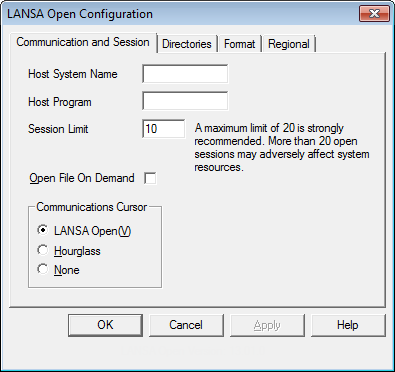
The LANSA Open Version you are using is displayed at the bottom of all the LANSA Open Configuration windows.
...
This option allows you to control when the files are opened at on the Host.
If you choose to use this option, LANSA Open will open files only as they are used. This saves considerable time when many files are used in a session, however, if the session finds a file which that does not have an I/O module, unacceptable processing delays may occur.
...
This option allows you to specify the cursor displayed when LANSA Open is performing communications. This is useful when the calling application, for example, EXCEL uses the standard Windows Hourglass cursor. The options are:
| LANSA Open(V) | The LANSA Open Communications cursor. |
| Hourglass | The standard hourglass. |
| None | The standard Windows pointer will remain. |
...
The default is the LANSA Open cursor which is an hourglass imposed over the host system.
...