Page History
...
To access the Console from a web browser, use the http://host:port URL.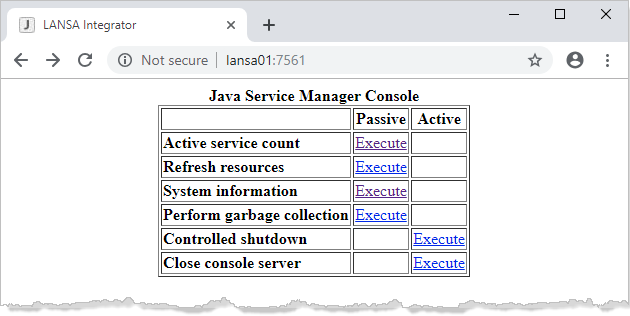
The Active service count command returns the number of service threads currently running.
...
   # A custom time zone like GMT+10:00 does not include daylight savings time
   # console.timezone=GMT+10:00
   # console.timezone=Australia/Sydney
   console.timezone=AET
Console Authentication
The console.authentication property controls basic authentication with the client web browser. If the console.authentication property has a value of *yes then client authentication is done:
...
If console authentication is turned on then client web browsers will prompt with an authentication dialog box. By default, no Access Control File exists. You need to login using the user name of admin and password of admin.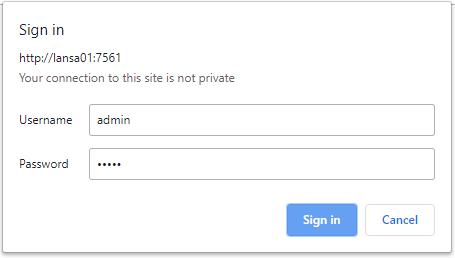
The Access Control File .axespwd in the system subfolder will be created with the admin user as an entry. Use Studio to Add, Change and Remove users from this Access Control File.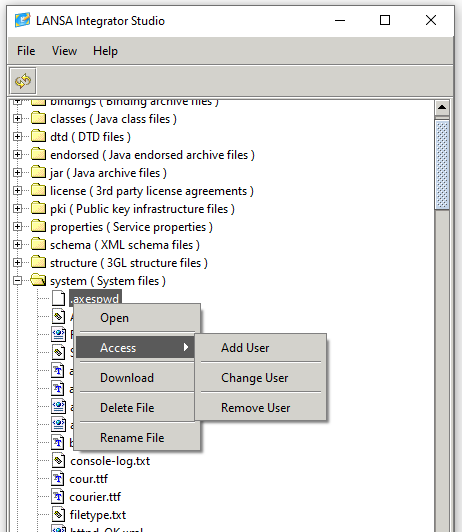
...
   console.client.address=*all
   # console.client.address=*none
   # console.client.address=10.2.1.7
   # console.client.address=10.2.1.7,10.2.1.8
Studio Authentication
The studio.authentication property controls authentication with the client Studio application. If the studio.authentication property has a value of *yes then client authentication is done.
...
If studio authentication is turned on, then client Studio applications will prompt with an authentication dialog box. By default, no Access Control File exists. You need to login using the user name of admin and password of admin.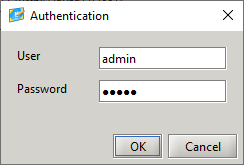
The Access Control File .axespwd in the system subfolder will be created with the admin user as an entry. Use Studio to Add, Change and Remove users from this Access Control File.
...