Page History
When the Framework is executed using RenderType M, the launch button  is displayed in the status bar next to the navigation pane view buttons:
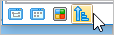
When the launch button is clicked, applications in the Framework are arranged in the status bar:

If an application has views, the view is visualized. If an application has no business objects it is not shown.
The applications or views respond to two events:
...
Mouse hover
With a mouse hover, a larger icon with the application/view caption appears:
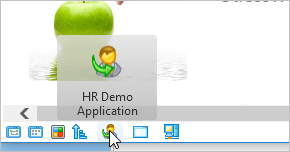
When the icon is clicked on, the business objects in the application pop up:
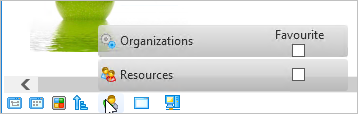
If the popup item is clicked, it triggers the default business object's behavior, as if you clicked on the business object in the navigation pane.
...
Removing a favorite business object
An application which that has business objects that have been made favorites will have the Favorite checkbox is ticked but disabled:
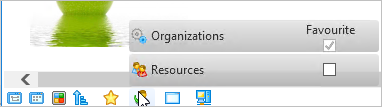
This is because one business object can be a favorite in more than one application.
To remove a business object from a favorite application, hover or click on the favorite application:
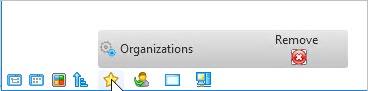
Click the Remove button to remove the business object from the application's Favorites.
| Warning | ||
|---|---|---|
| ||
Due to space constraints, this navigation option may not be suited to Frameworks with a large number of applications and/or applications with a large number of business objects. In those cases, use any of the other three navigation pane views. |
...
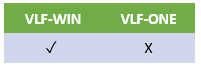
The display of the launch button is controlled in the Framework properties:
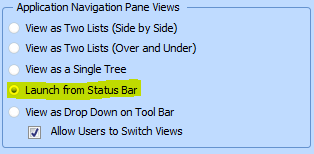
See the description of Launch from Status Bar.