Page History
| Info |
|---|
| Deprecated: This topic has been deprecated and will only display if you have CSS Filter Definitions in your Configuration File. |
This command allows you to define which CSS (Cascading Style Sheet) files will have their @import statements resolved by the LANSA for the Web IIS Plug-In. This is useful when designing WAMs in the WAM Editor. Adding the CSS Path in this dialog will resolve all CSS files under that CSS Path. Note that CSS files will only be resolved in the WAM Editor when working in the Design mode.
Under some circumstances, such as after applying Microsoft's Internet Explorer security patch 916281, the styles that are imported using an @import directive are lost in the WAM Editor's Design view. Using the ?expand=yes option addresses this issue.
...
When you select the CSS Filter command from the Tools menu, the CSS Filters dialog box is displayed.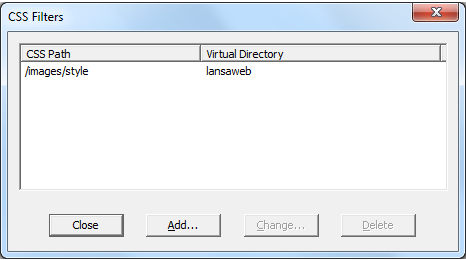
The CSS Filters dialog box displays a list of CSS Filters.
Press Add or Change, depending on the action you will be taking in the Configure CSS Filter (Local Configuration) dialog. Press Close to take no further action or Delete to remove a filter.