Page History
Only the options that are applicable to the Web Server are enabled. You do not set these options if you are connected to a host type Windows / Linux.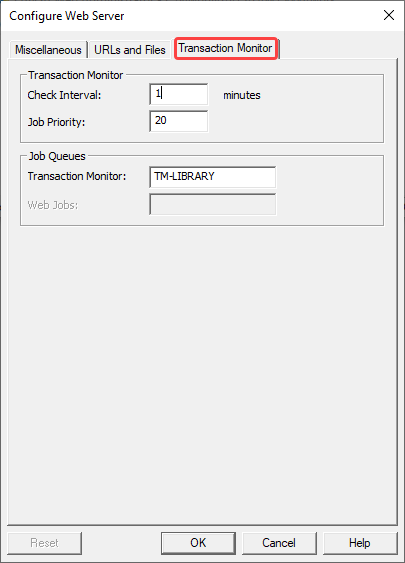
Transaction Monitor – Check Interval (minutes)
The Transaction Monitor monitors all the LANSA jobs started by LANSA Web. It is responsible for terminating any jobs that have not been active after a defined period. There is only one instance of the Transaction Monitor for a given IBM i system.
...
The default value is 2 minutes.
Transaction Monitor - Job Priority
Configure the job priority of the Transaction Monitor and reset the Transaction Monitor for this value to be used.The default value is 20.
Job Queues - Transaction Monitor
Enter the subsystem to run the Transaction Monitor.
...