Page History
To connect to an IBM i, Windows or Linux host, select the Options menu and choose the Connect option. You will be presented with the System Defaults dialog box. Using the System Defaults options, you can enter the details of the host system to which you want to connect, or you can choose a Profile, containing these options, which you have previously saved.
...
This streamlines the connection process. Note that the password remains encrypted during this process.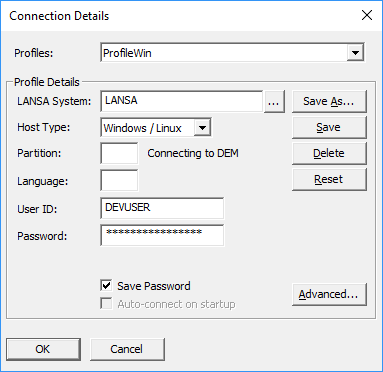
For details of these options, go to the Connect/Disconnect command on the Options menu.
Once connected to the host, the following window is displayed for you to confirm that you have connected to the host system that you intended to connect to.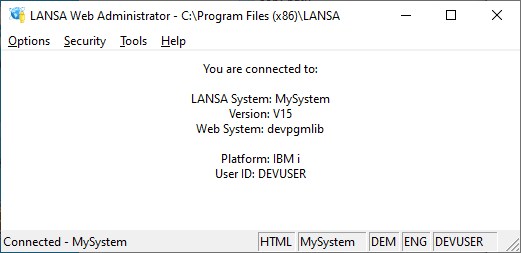
Once you are connected to the host, the LANSA Web Administrator's main window is displayed, where some connection details and details about the LANSA System that is connected to are shown.
...