Page History
...
For security reasons, Web application debugging is disabled by default. It is strongly recommended that you disable debugging when it is no longer required, especially for production servers.
1. Enable debugging
To enable debugging, select the Allow Interactive Debugging option for the data/application server. To do this:
...
g. Check (tick) the Allow Interactive Debugging option (as shown below):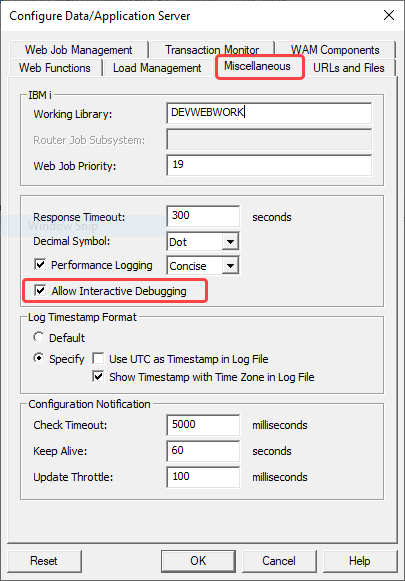
2. Extend the Web Job timeout for Web Functions
It is recommended that you extend the Web Job timeout, which is 2 minutes by default for Web Functions, so that the Transaction Monitor does not interfere with the Web Function running in debug mode.
...
g. Change the timeouts to the desired values.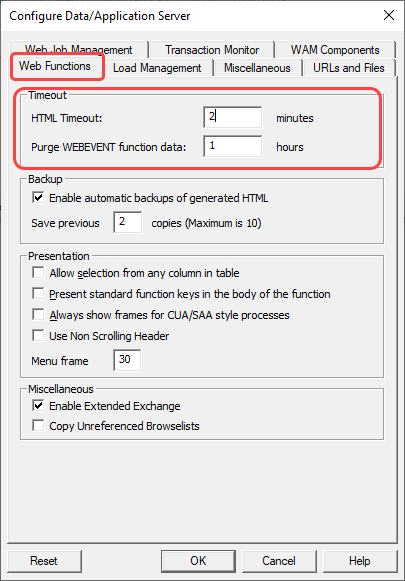
...
Refer to the dialog's Help for information about these settings.
...
Close the Web Administrator.