Page History
...
The LANSA System Type is selected when the Visual LANSA software is installed. For a definition of the different types of systems you can install, refer to Planning Your Site in the Installing or Upgrading LANSA on Windows Guide.
...
The options shown on the System Initialization dialog depend upon the 4.3.2 LANSA System Type. A Master or Independent System has different options available to those on a Slave System. The System Initialization type will be selected for you automatically.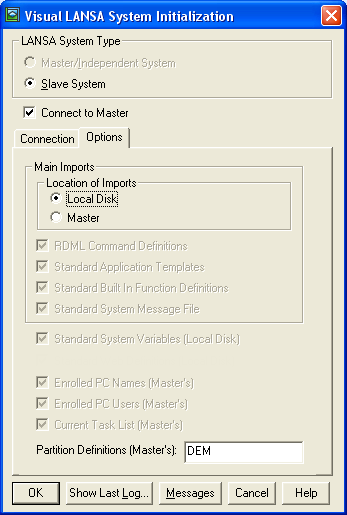
...
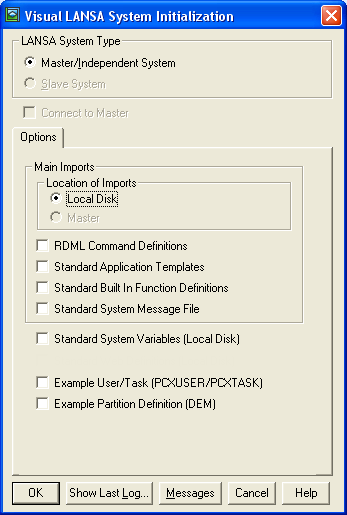
You will need to request a System Definition update when:
- User profiles have been created or modified on an IBM i Master.
Refer to 4.3.1 Restricted System Initialization when another user is logged into Visual LANSA. - You have your own customized Templates, BIF definitions or Messages created or modified on an IBM i Master. Refer to 4.3.22 Show Last Log.
- New or additional partitions are to be accessed.
- New network workstations have been added.
- Task IDs have been created or modified.
...
4.3.19 Use Windows credentials 4.3.5 RDML Command Definitions 4.3.6 Standard Application Templates | 4.3.9 Standard System Variables |
...
System Initialization and Partition Initialization replace Partition QuickStart, PLUGIN and REFRESH. The System Initialization dialog uses the same technology as REFRESH and PLUGIN and it is simpler to use.
...
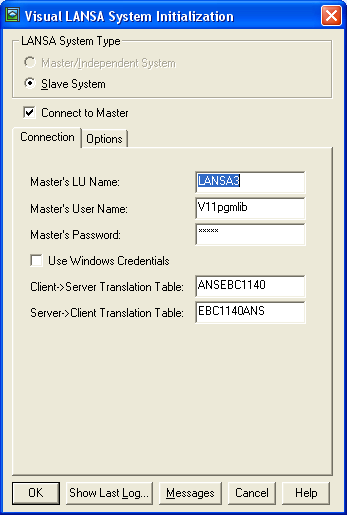
| 4.3.19 Use Windows credentials 4.3.20 Client -> Server Translation Table |
Also See
...