Page History
...
When delivering to IBM i, these options correspond with the Check In options. For example, the following dialog will appear when delivering in a File to an IBM i:
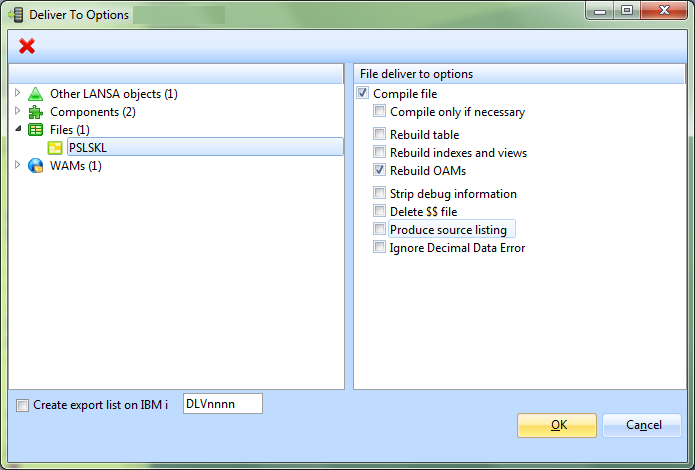
Create Export List on IBM i
...
The options available when delivering to Linux are different. For example, the following dialog will appear when delivering in a File to a Linux system:
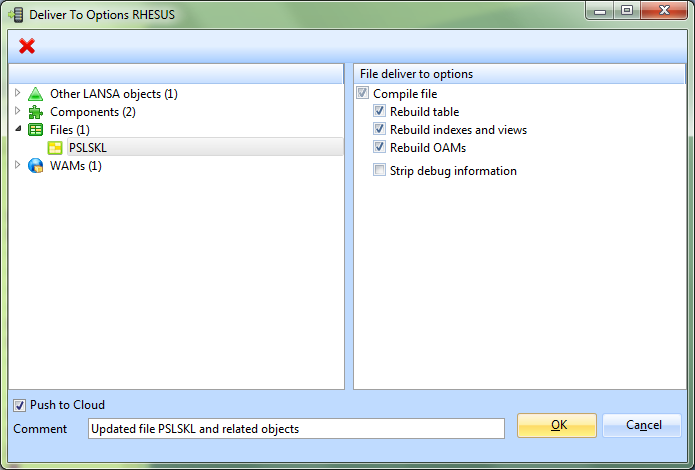
Push to Cloud
When delivering to a Linux system a checkbox is available to indicate if the Linux environment should be pushed to the cloud. A supporting comment should be provided when Push to Cloud is selected.
To Deliver Non-LANSA objects, create a file named deliverto.txt in the LANSA System directory. Open the file and include each object with a fully qualified path. Add only one object per line in the file. For example:
...
Each time you deliver objects, either to IBM i or Linux, any entries in deliverto.txt will be processed and included in the delivery. Objects are delivered to the partition directory on the target system, for example, /lansa_devpgmlib/x_lansa/x_dem.
Before you can use Deliver To, be sure that you have followed the steps that are relevant to the target remote system. Refer to:
...