Page History
...
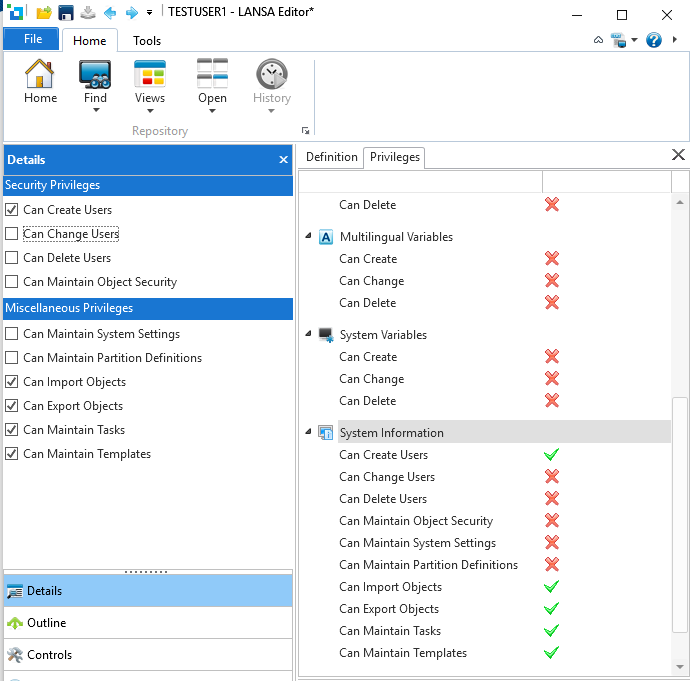
To view or maintain a user's privileges, choose the User from the list in the Repository tab, and then select the User's Privileges tab to see the editing functions allowed for the user. Pre-set privileges, identified by a gray tick, are inherited from the group, if any, to which the user has been assigned. To add privileges, select the object to be changed in the list in the Privileges tab and the settings to amend will be displayed in the Details tab. In the following example, the Details tab reflects that the user has selected the System Information entry:
The partition level setting User access enforced determines if the security settings are used. The default is off, i.e. the user access security in Visual LANSA is not enforced. Once this setting is turned on, the security settings listed are enforced.
...