Page History
In this step you will give the same name to two variations of a screen (with different signatures), one with an empty subfile and one with a subfile with entries.
By defining the two variations as the same screen, there will only be one script to control the navigation to and from the screen.
The function used in this step is the Telephone Search function in the Personnel System, which contains a single REQUEST statement display the screen:
...
2. Navigate to the Personnel System main menu:
LANSA run pslsys partition(dem)
3. Select option 7 Telephone Number Search.
4. Name the screen TelephoneSearch and click the Save button on the Screens tab:
...
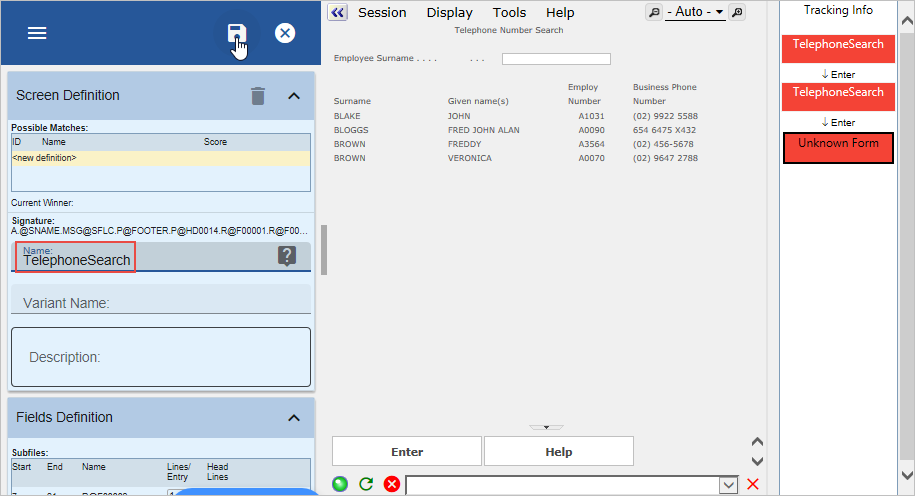
7. Define the TelephoneSearch screen as a destination.
8. Cancel out of the screen and select option 7 again.
9. Enter a letter in the Surname field and press Enter. Notice that both TelephoneSearch screens are now defined as a destination and that they are shown as one screen in the screens and script list:
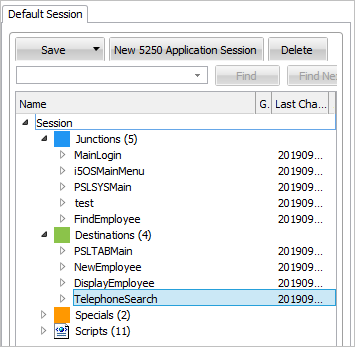
10. Track navigation to and from the TelephoneSearch destination screen with Auto Update Navigation Scripts turned on.
11. Do a partial save of the RAMP definition.
Next you need to create a business object with which to associate the TelephoneSearch screen:
12. Use the Instant Prototyping Assistant (from the Tools menu) to create a new business object Telephone Search, add the Details command to it and then associate it with the Personnel application.
...
- Open its properties
- Delete the New Filter created by default
- Make the Details command a Business Object Command in the Commands Allowed tab
- Click the Close button to the message asking to Restart the Framework
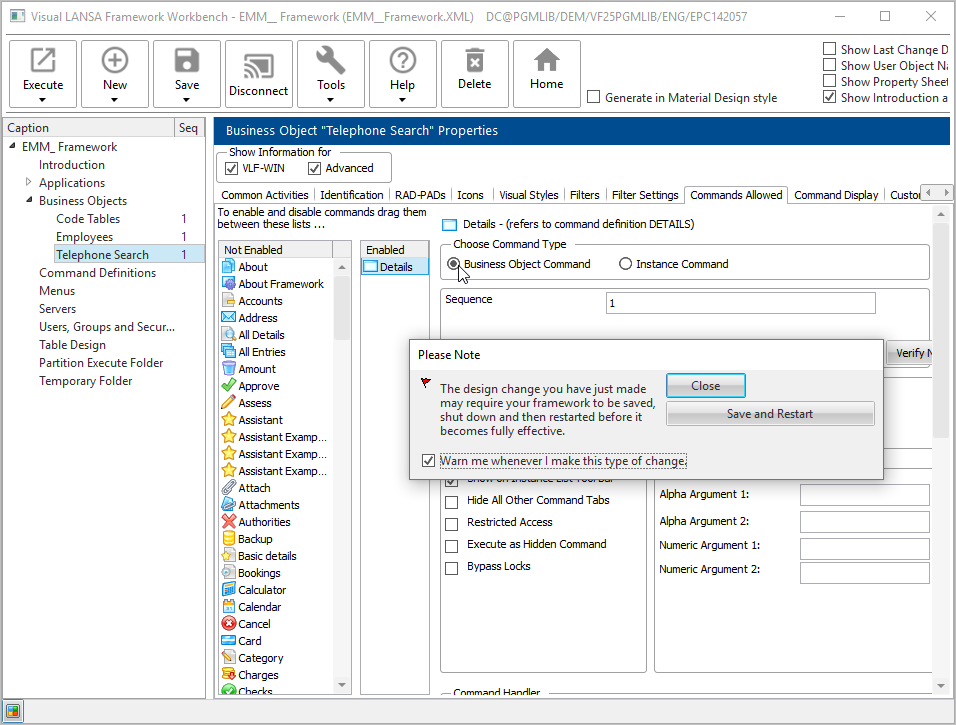
- Close the properties.
14. Display RAMP Tools.
...
20. Execute the Framework as a VLF-WIN application, as Designer, and select the Personnel application and the Telephone Search business object.
21. Test the command handler:
...