Page History
In this step you test the Copy to Clipboard button.
1. Execute the Framework as a VLF-WIN application, as Designer.
2. Select Personnel, then the Employees business object and use the filter to fill the instance list.
3. Select an employee to display its details.
4. Click on the Copy to Clipboard button.
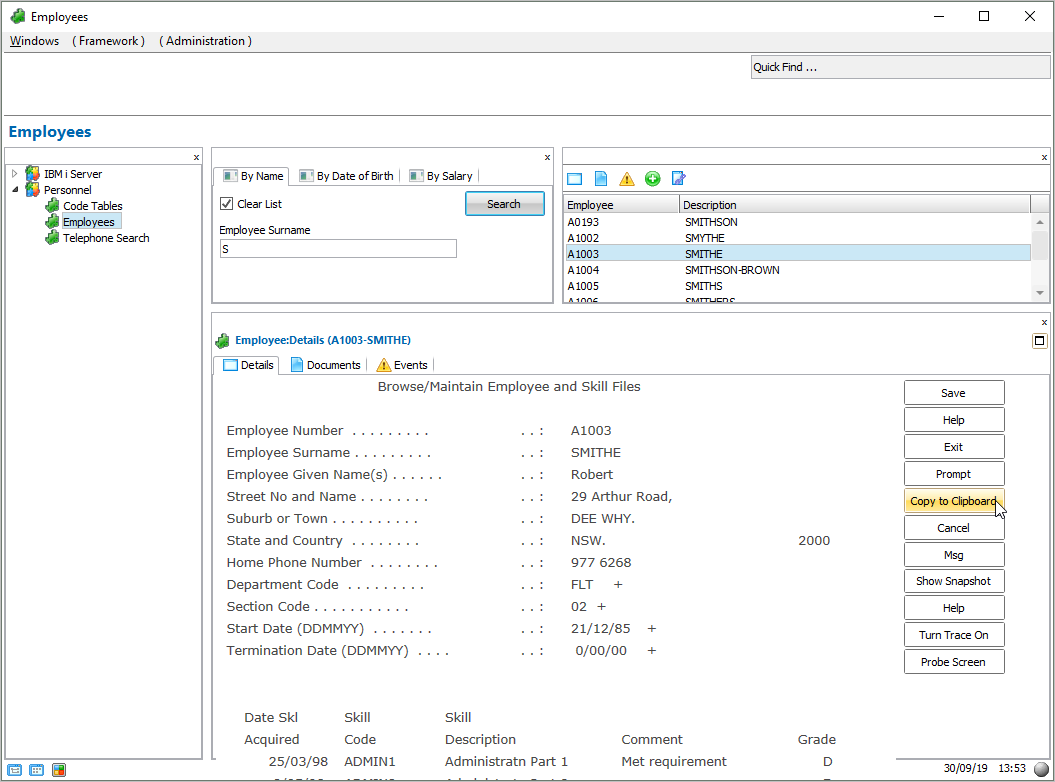
Notice the message indicating the employee details have been copied to the clipboard.
...
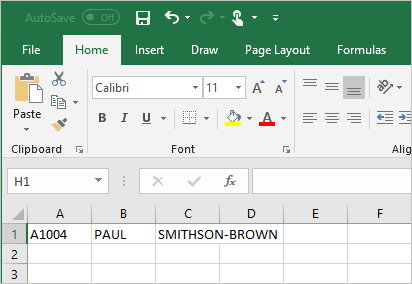
6. Paste in the employee details (Ctrl + V):