Page History
...
3. Insert a Query object: from the Insert menu, select Object.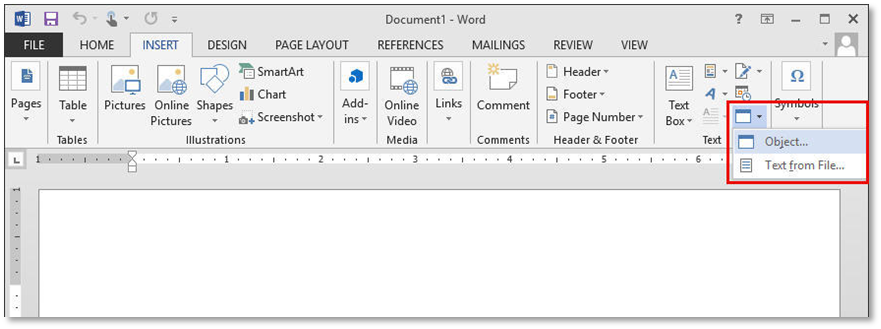
4. Select Create from File and use the Browse button to locate your exercise queries.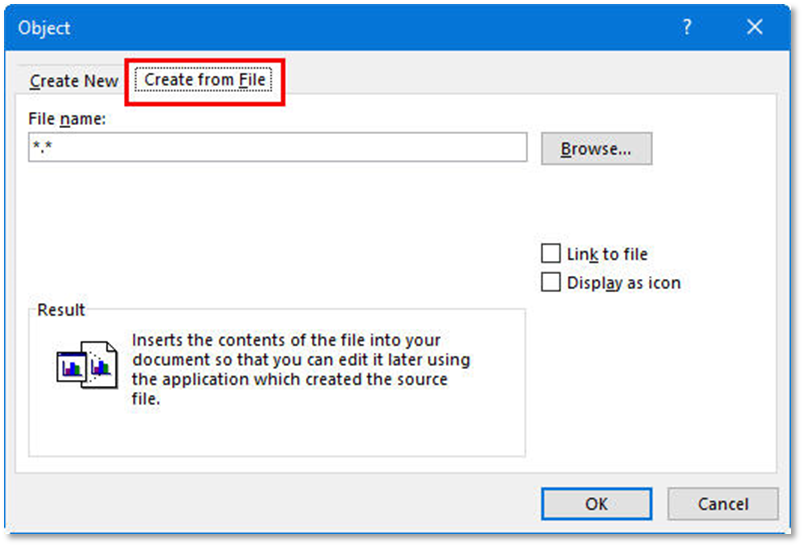
5. Select Salary values grouped by Department.lcq or any other query.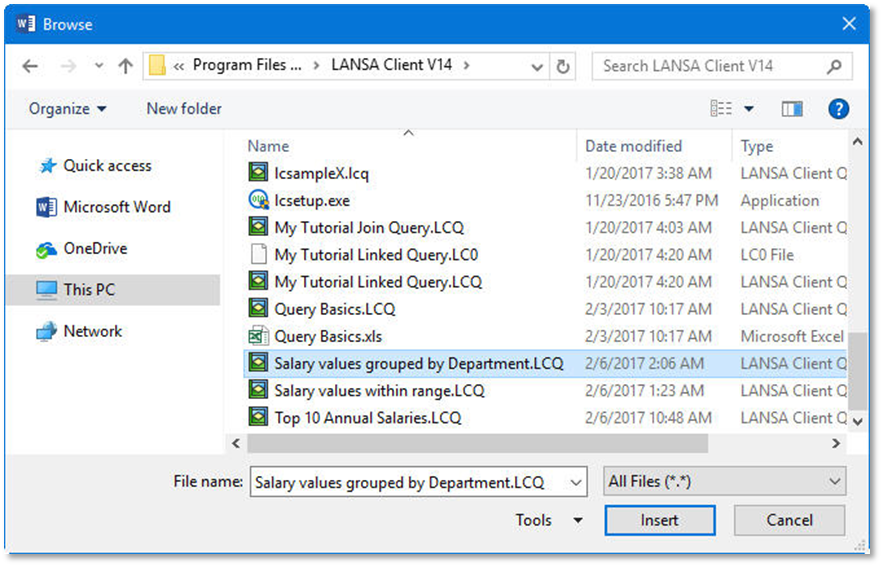
6. Click the Insert button.
7. Select the options: Link to file and Display as an icon.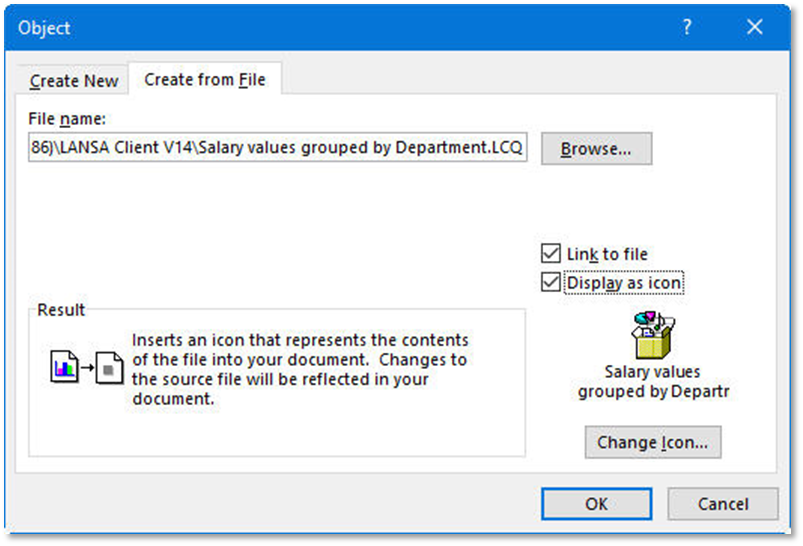
8. Press the OK button.