Page History
...
The following is an example of the appearance of a nearly empty attachment panel. In this example, just three of the attachment areas have been used. A thick dashed border has been specified for the attachment panel and thin dotted borders for the panels used in the three areas. The borders have been used for clarity in this example – you do not have to use visible borders and you may not wish to in your applications. Remember you can drag and drop other weblets (such as input boxes, check boxes and push buttons) onto each of the layout areas.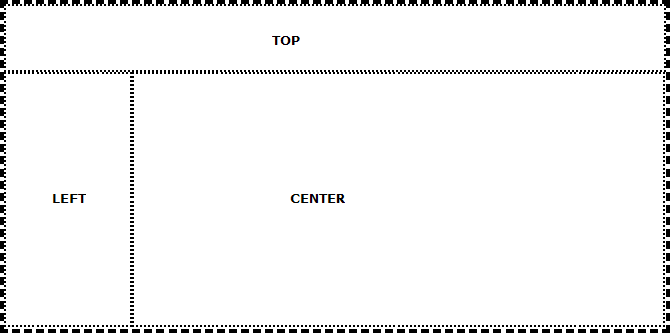
The attachment panel is one of a number of weblets that you can use to aid the creation of a consistent and visually appealing layout for your web pages. You may also wish to review the horizontal and vertical splitters and the panel and navigation panel weblets. This weblet (the attachment panel) is static – the user is not able to resize or otherwise manipulate the size and position of the panels that it contains.