Page History
...
| Tip |
|---|
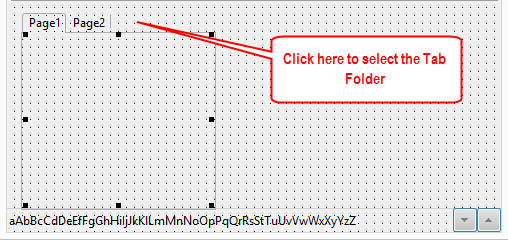
Hint: The Tab Folder automatically contains two Tab Sheets. To select the Tab Folder on the Design tab you must select the folder component itself, not a Tab Sheet. In the Design view do this by clicking on the background next to the tabs:
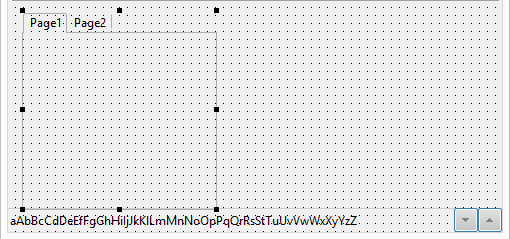
The Design view will then look like this. Note the handles are now in the background area.
Remember, you can also select a component on the Outline tab or from the components dropdown on the Details tab. |
...