Page History
...
The usual sequence of actions is:
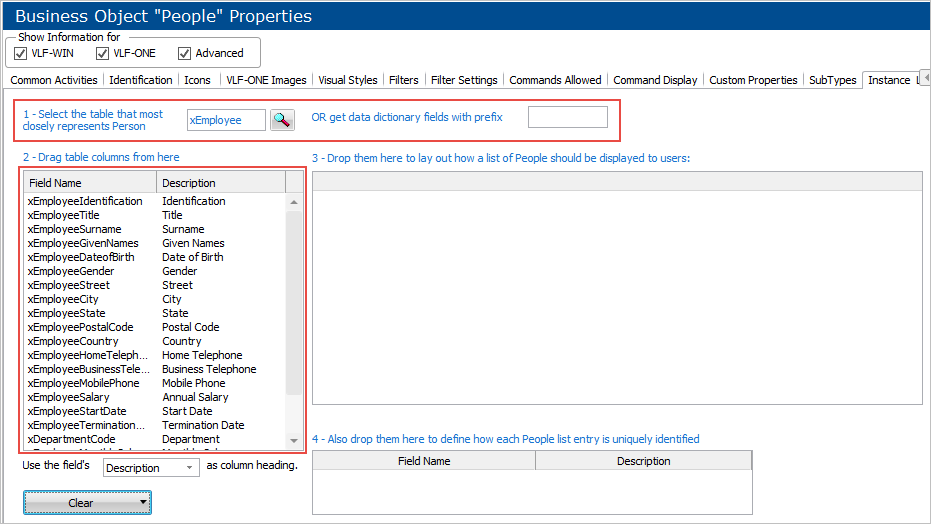
1. Select a table or a prefix for data dictionary fields
This will populate the drag tray with table columns.
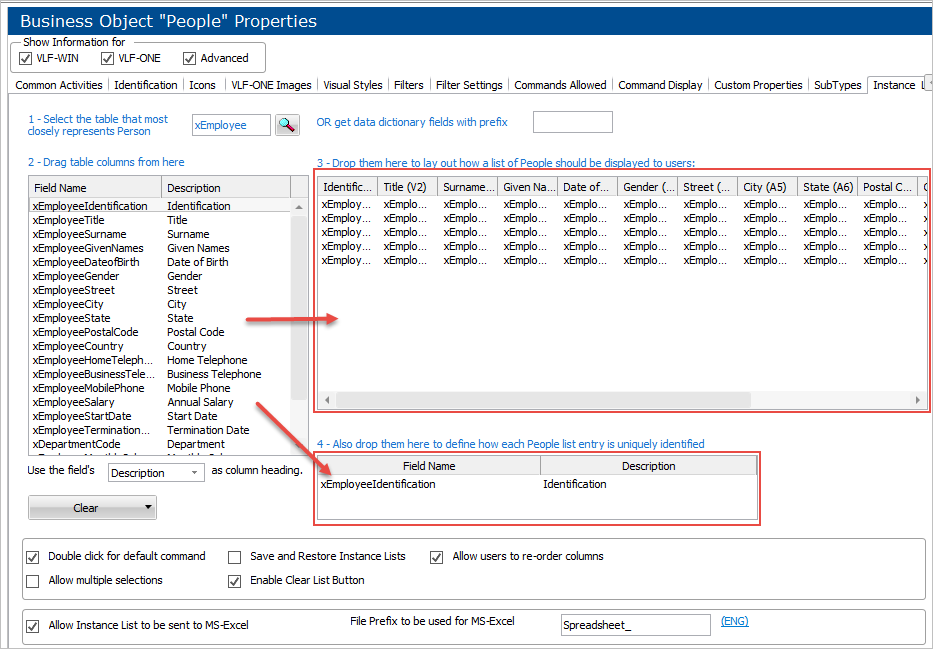
2. Drag the table columns that you want to show on the instance list from the drag tray to the instance list
Also, drag the columns that uniquely identify an instance list entry from the drag tray to the Unique Identifiers list.
Other options
...
The options on this panel are:
Select the table that most closely represents [business object name]
OR get data dictionary fields with prefix
Drop them here to lay out how a list of [business object name] should be displayed to the users
Also drop them here to define how each [business object name] list entry is uniquely identified
Use the field's Description/Label/Column Heading as column heading