Page History
...
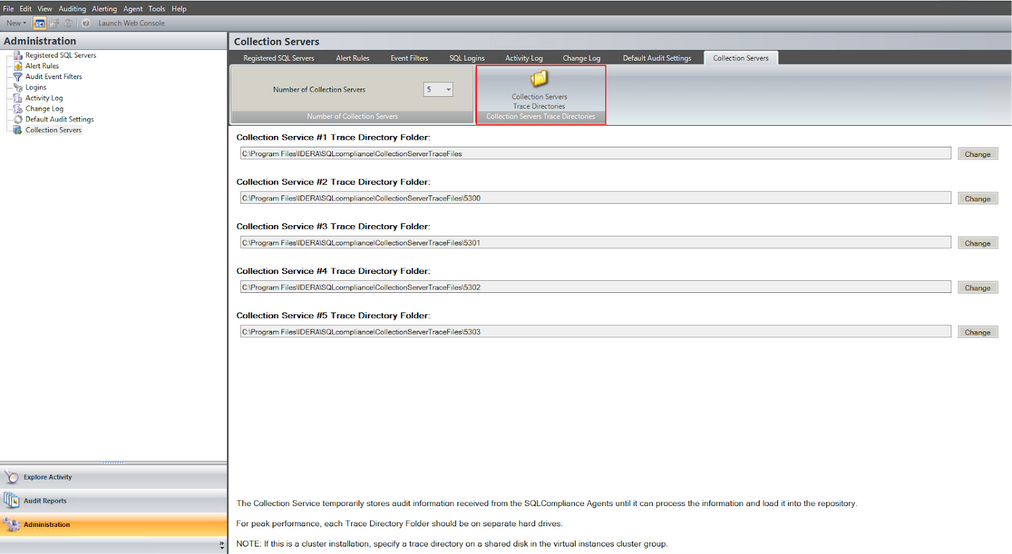
To configure the number of Collection Services, go to:
- Under the new menu item, select Administration.
- Next, select the Collection Servers in the CM console.
...
Trace directories can be changed and configured for each service. Default directories are named under the port used by their respective collection service.
Collection Service Health State
You can start or stop Collection Services and verify their port and trace directory by navigating to the header menu bar and:
- Select Auditing.
- Press the Collection Server Status.
- The following screen is displayed.
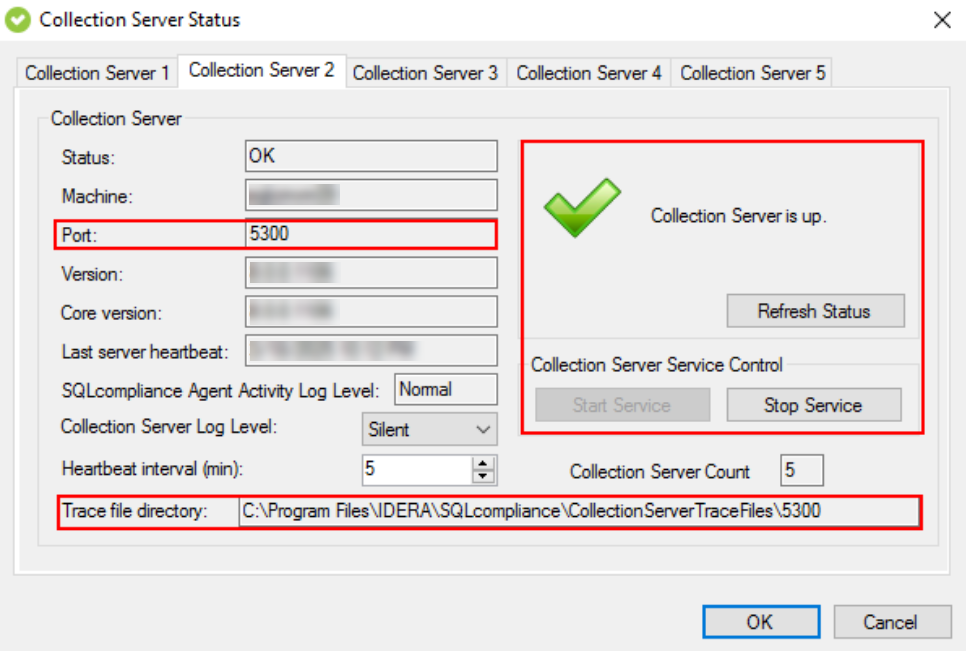
The same dialog also displays the specific Trace Directory assigned to each Collection Service, allowing you to easily identify and manage the directory paths used by individual services.