Page History
| To specify the objects to be included in your Application, open the Select repository objects dialog by selecting the Repository Objects icon from the Package Maintenance Window toolbar. Select the objects for inclusion from the repository tree and drag into the panel on the right-hand side. |

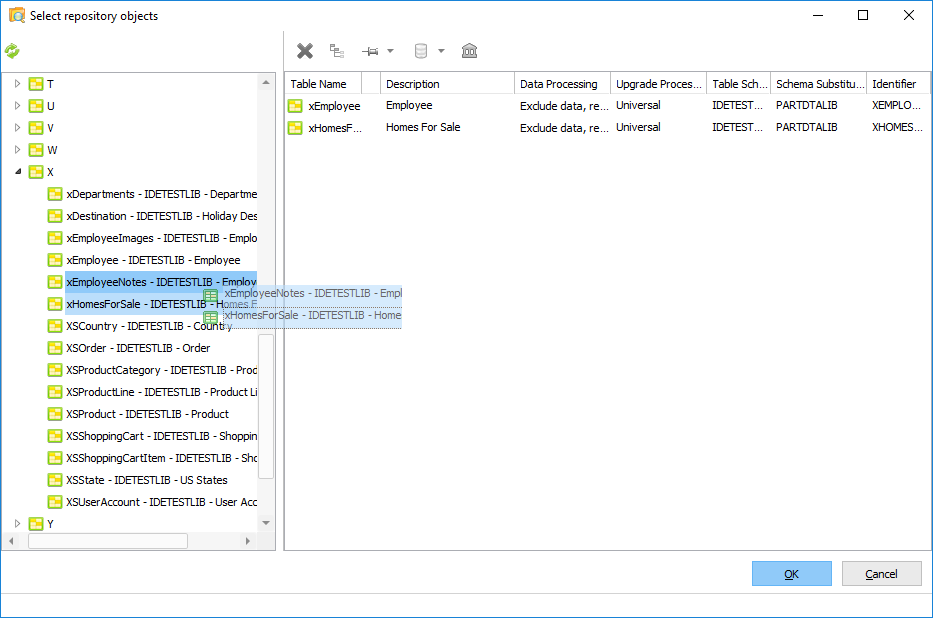
The repository object types available for selection will depend on whether the package is intended for a runtime only environment or if it is targeted for a development environment. All object types will be available if the package setting "Deploy to Development Environment" is selected. A reduced set of objects is available for runtime only packages.
Different object types have differing requirements, so the 8.2.1 Selected Object Viewer panel changes format to suit each object type. For example, the Process and Function view contains a tree view to show the selected items, whereas Forms are shown as a list.
...
For more information on object selection refer to 8.2.1 Selected Object Viewer and 8.2.2 Special Considerations for Object Types.
Refresh Repository Objects
Any changes in the repository, specifically the additional or deletion of objects, are not automatically reflected in the Select Repository Objects repository tree. The repository can be manually refreshed using the  Refresh option.
...
If you add cross referencing to the selected objects, the build process will automatically include the appropriate related objects used by the selected objects into your package. Refer to Default Cross Reference Options, 8.2.3 Cross Reference Settings and Objects Included in Package for more information.