Page History
Use this URLs and Files page of the Configure Data/Application Server page to specify the location of various files.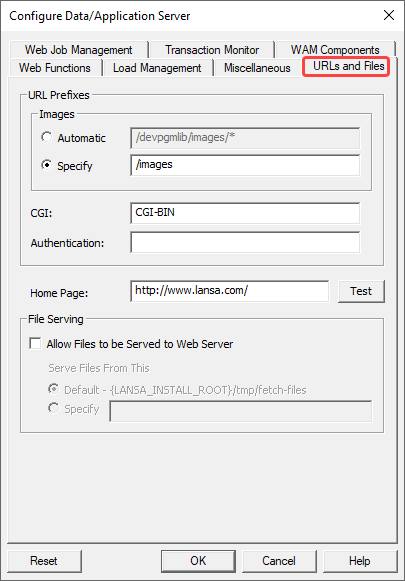
URL Prefixex
Images
Choose Automatic to allow the LANSA Web Server Extension to generate the URL Prefix to the images folder. Example from the image: http://localhost/devpgmlib/images .
.
Choose Specify to explicitly set the URL Prefix: Example: http://localhost/images.
Default is to Specify.
...
Enter the URL to be called when the user selects the 'Home' button in LANSA functions.
File Serving
| Info |
|---|
| The following options are only available with a Data/Application server running LANSA Version 11 SP5 or later and with LANSA Web Server Extension or LANSA Web Server Extension for Linux. |
Allow Files to be served from Web Server
...
Note that if you enable this option, you must also enable the corresponding Web Server option.
By default these options are disabled.