Page History
...
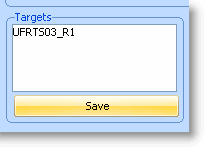
2. In each destination screen, edit the Targets list displayed so that it only contains the name of the junction UFRTS03_R1. Remember to click the save button after making your changes to each Targets list.
| Note | ||
|---|---|---|
| ||
| When a destination screen is on display and a navigation to another screen needs to be performed, the destination screen will be asked to navigate to its exit junction before the navigation route to the target screen is calculated. By default a destination screen's exit junction is the first junction defined in its Targets list. |
...