Page History
| Note | ||
|---|---|---|
|
...
| This answer refers to RAMP stage 2 only - reusing your existing 5250 screens. It has nothing to do with RAMP stage 3 - replacing your 5250 screens with Visual LANSA components. |
It depends on the approach you use.
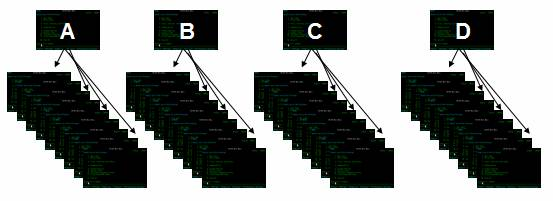
Imagine a simple 5250 application made up of four menus (or some other common access points) and 36 other screens like this:
We recommend you use this approach:
1. Initially Perform a Rapid Navigation Modernization
In this example you would identify and define the four menus (or access points) A, B, C and D only, and snap them into RAMP as full screen destinations.
...
At this stage answering the question "How long will it take to RAMP my application?" is easy: Allow 15 minutes per menu (or common access point). So for this example, allow 4 x 15 minutes = 1 hour.
2. Now Perform Selective and Incremental Application Modernization
Now assess application areas A, B, C and D:
...
The question cannot be answered until you decide what parts need to be fully modernized, how much work needs to be done, and in what order.
Key Points
- Navigation modernization is very rapid.
...