Page History
...
Grouping criteria is specified in the Group By dialog box. This is reached by selecting the Group By command in the Options menu or via this  toolbar icon.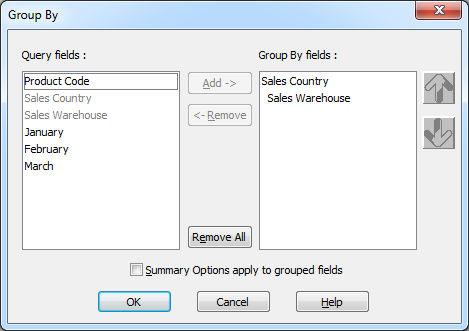
The Group By dialog box contains two main areas. These are:
...
A list of the fields by which the results will be grouped.
How It Works
From the Query fields list, select each of the fields by which you want to group your results and press the Add button. Alternatively, you can double-click on the required field in the Query fields list. The field(s) you have selected for your grouping condition will be displayed in the Group by fields list, in the sequence you have selected them.
...
When you are satisfied with the Groups you have selected, save them by selecting the OK button or pressing the Enter key, otherwise select the Cancel button or press the Esc key.