Page History
Build and run your test query
1. From the toolbar select the File menu and then choose the New command. Alternatively, you could select the Create a new query icon from the toolbar.
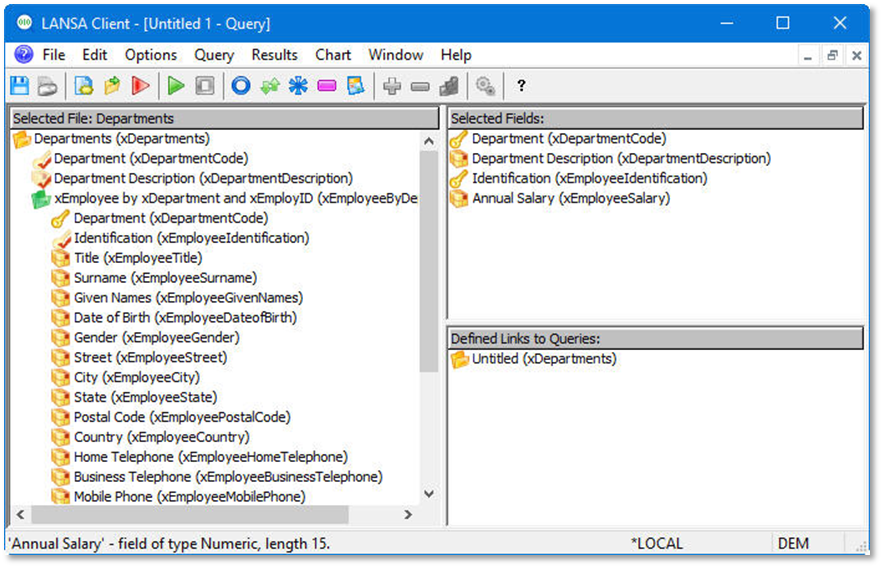
2. Double-click on the Departments file to select it as your primary file.
Alternatively Alternatively, highlight the file then press the Enter key.
The The fields of that file will be displayed and become available for selection in your query.
...
4. Open the xEmployee by xDepartment and xEmployID file (listed underneath the Departments file) Select and select the Identification and Annual Salary for your query.