Page History
1. Select the cells for Annual Salary of the first 6 Departments.
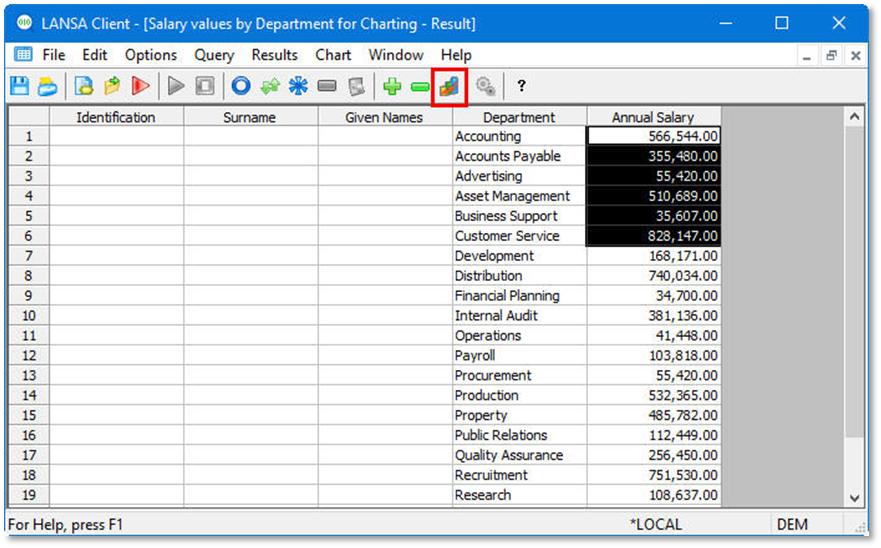
2. Click on the Chart  icon from the toolbar.
Alternatively, from the toolbar select the Results menu and then choose the Chart command.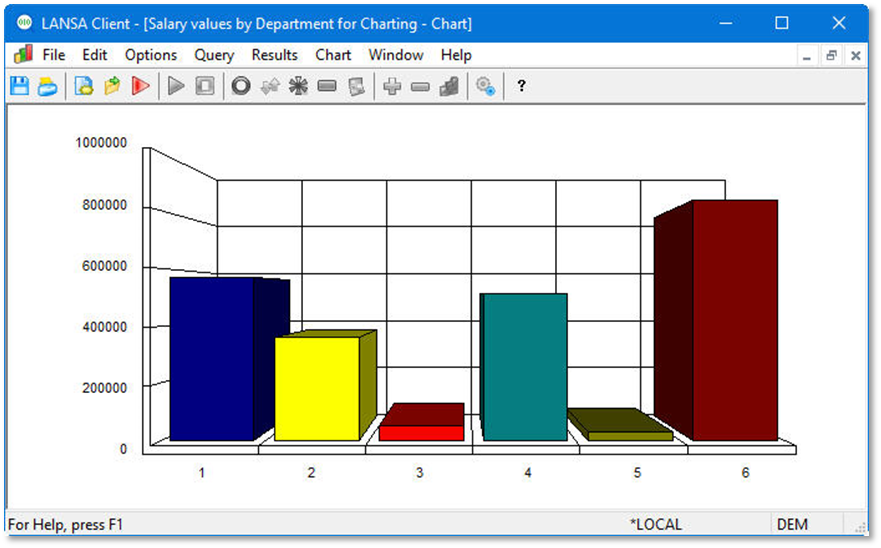
The
The default chart type will be a Bar chart.
3. Use the Chart Options  icon on the Charts toolbar to add a title, legend by Department Description, change fonts and colors to your own liking.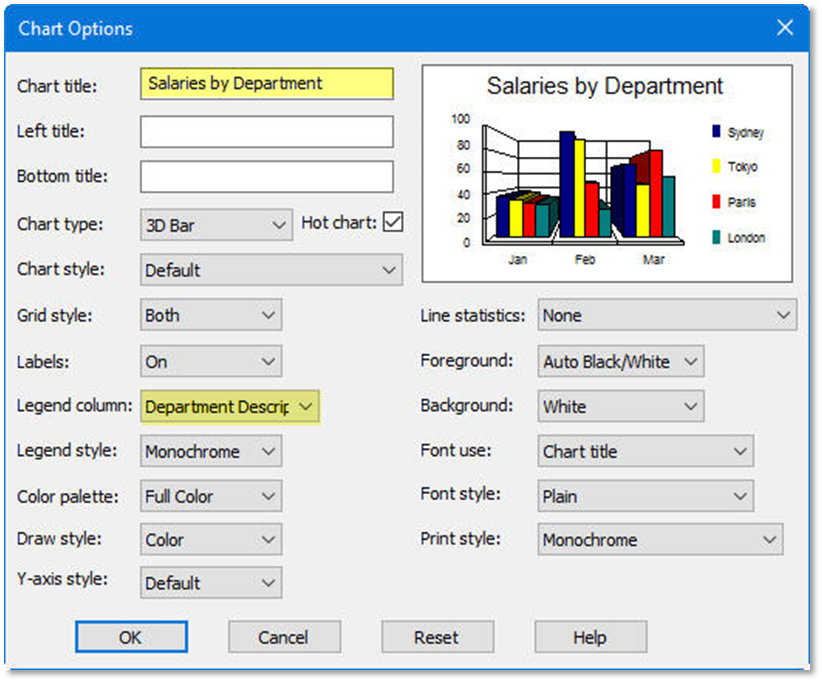
4. Press the OK button.