Page History
The fields which make up a file (i.e. the file definition), as well as all the other files that you can access from that file are displayed when you select a file.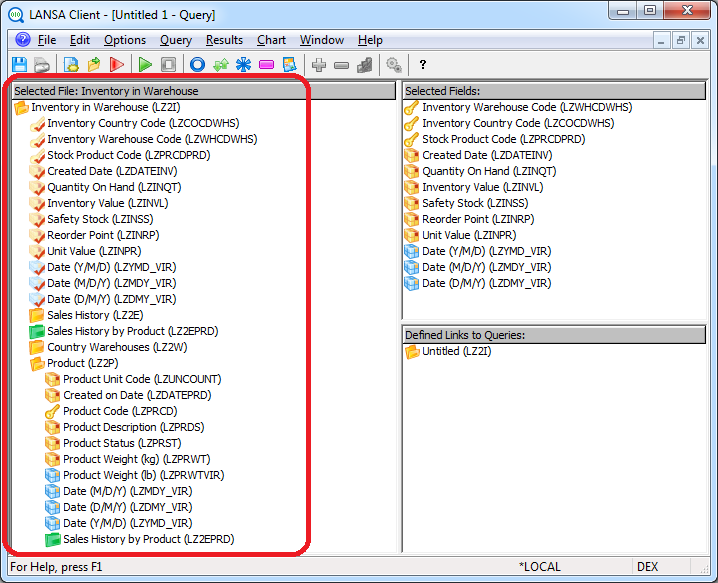
As well as data fields, there will be key fields and perhaps virtual fields displayed. You can identify the different types of fields by their icons, which are:
| A key for key fields |
| Yellow for data fields |
| Blue for Virtual fields |


When you have selected a field for inclusion in your query, its icon is overlaid with a tick.
To select a field for your query, use one of these methods:
...