Page History
...
- First run the WAM normally (not in debug mode) and review the list of section codes for the department you are using, for example ADM. Decide which section code value you want to break on, for example SECTION = 05.
- Run the WAM again, this time in debug mode, enter a department code and click the Select button.
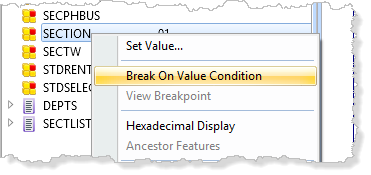
- When debug breaks on the ADD_ENTRY statement select the field SECTION on the Variables tab and use the context menu to set the Break on Value condition:
- Set the condition to SECTION = 05 (or your chosen value).
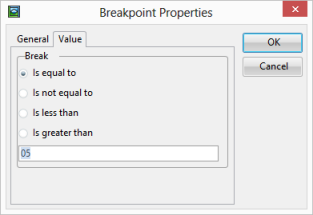
- Click OK to save the condition and press F5 to continue running the WAM. The breakpoint will next occur when SECTION has the chosen value.
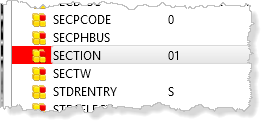
The variable is highlighted on the Variables tab to show it has a Break on Value setting.