Page History
...
- Copy and paste the DHTML-JavaScript code in AJAX Page AJAXEX3.HTM using NOTEPAD and save it into your Framework private working folder as an AJAX page file named AJAXEX3.HTM.
- Copy and paste the AJAX function code in AJAX Function AJAXEX3 into an RDMLX function named AJAXEX3 into your VL-IDE. Compile RDML function AJAXEX3 so that it is executable on your web server.
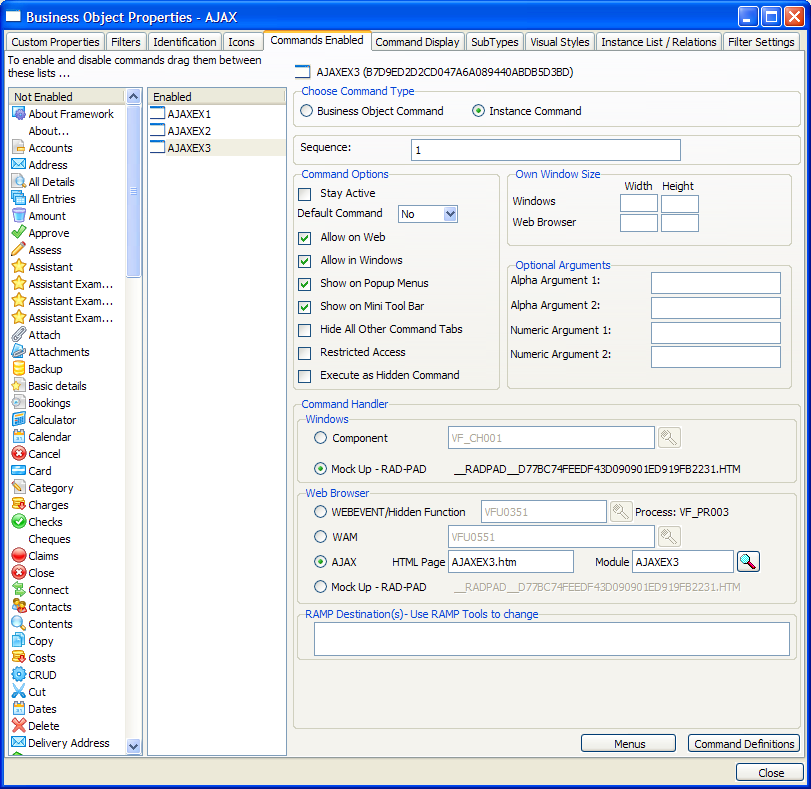
- In business object, AJAX, snap AJAX page file AJAXEX3.HTM and AJAX function AJAXEX3 into your Framework as the command handler to be associated with command AJAXEX3 like this.
- Save, restart and execute your Framework in a web browser. Select application ‘AJAX Examples’ and then select business object AJAX. This should execute the default command AJAXEX1. Click on the AJAXEX3 tab to execute the AJAXEX3 command:
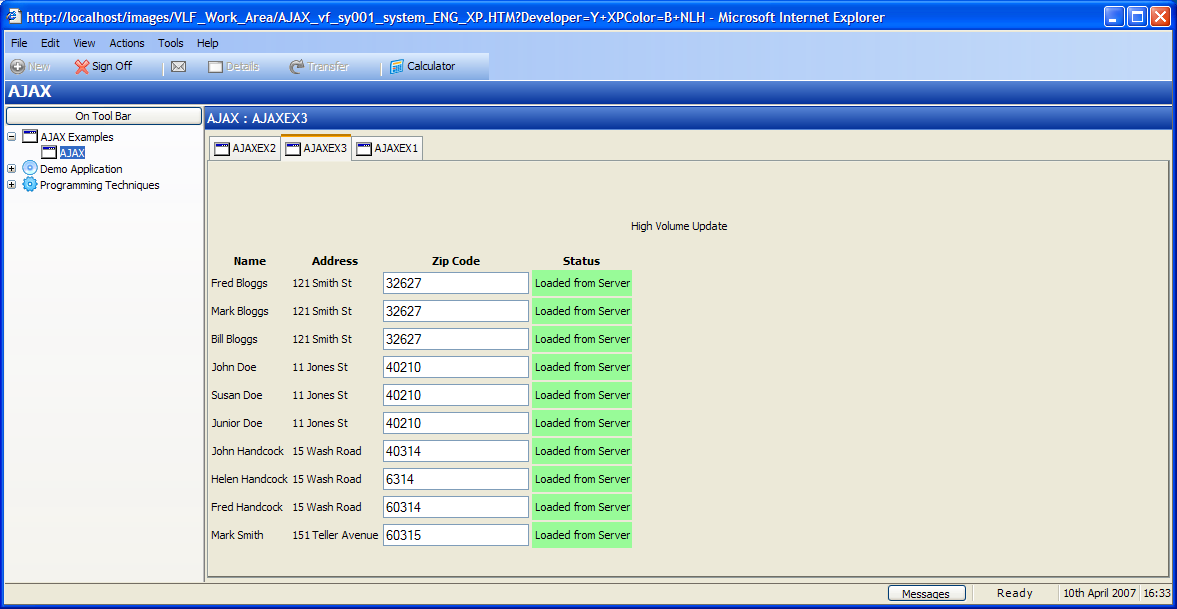
This AJAX example is designed to demonstrate the asynchronous nature of AJAX processing.
...