Page History
When you select the New or Open command from the File menu, the names of all the files that you can access from the host to which you are connected are displayed in the Selected Files area.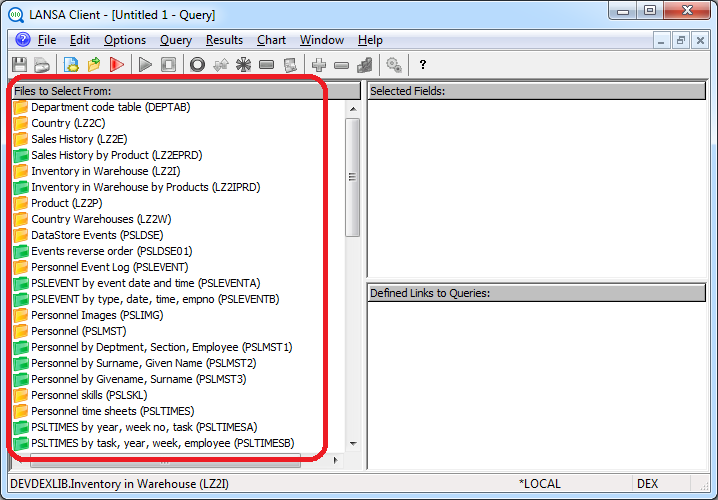
If there are too many files displayed, you might consider limiting them by creating a file filter as described in 3.3.3 Limit the Files Displayed.
...
| Yellow for Physical files. |
| Green for Logical files |


You can suppress the display of logical files using Display Logical Files in the Options menu. Because a logical file may represent a faster access to your data, therefore improving the performance of your query, you should only switch off the display of logical files if you know that you will not be using any of them.
...
| Note |
|---|
| Note: Whether or not to display logical files can also be set as a default using the Specify the Host and Related Options described in the LANSA Client Administrator Guide. |
...
See Also
3.3.1 Display the Object Names
...