Page History
...
- Log in to the Azure Portal.
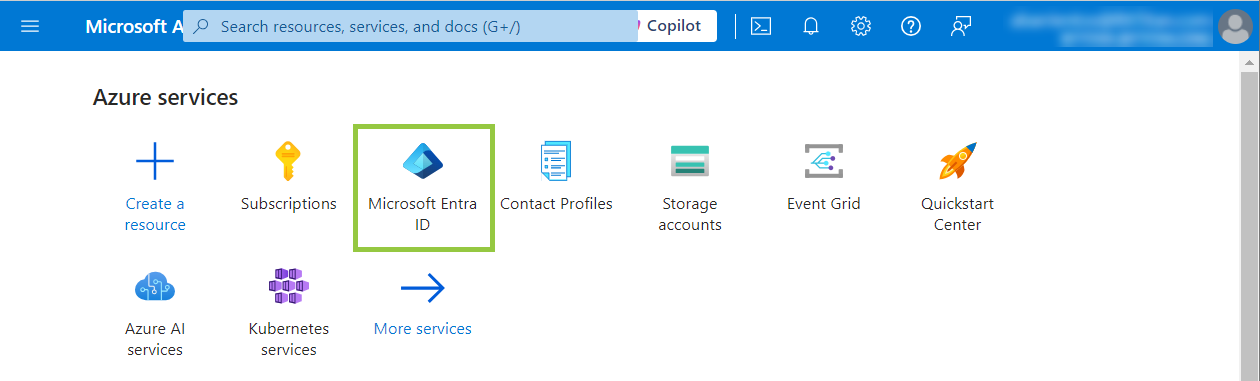
- Select the Microsoft Entra ID service.
Navigate to the Manage node from the left side menu and select App Registration.
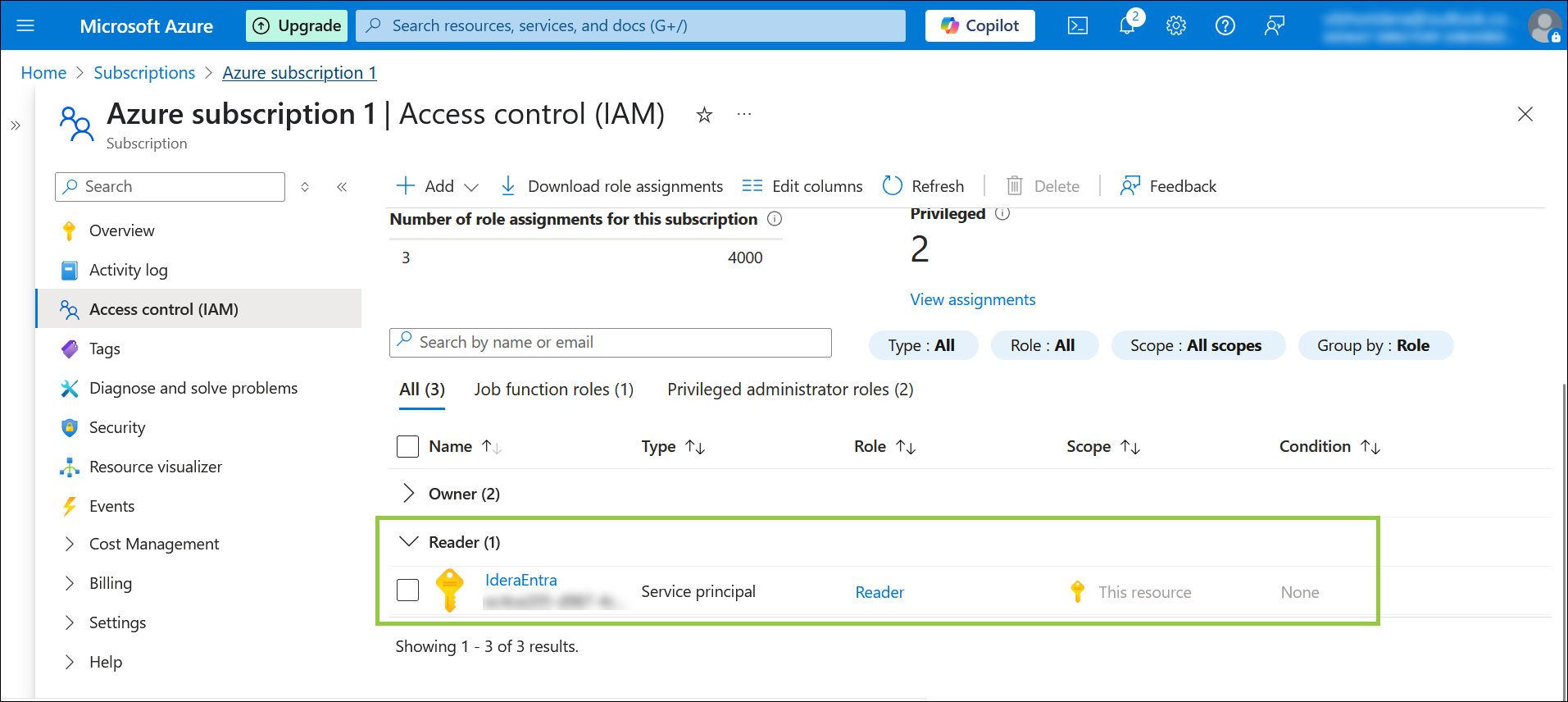
After the creation of the app, we need to apply the Reader role to the app under Subscription > IAM > Role Assignment.
If you have already created your Owned App, select it, and the Overview page will display the Client ID.
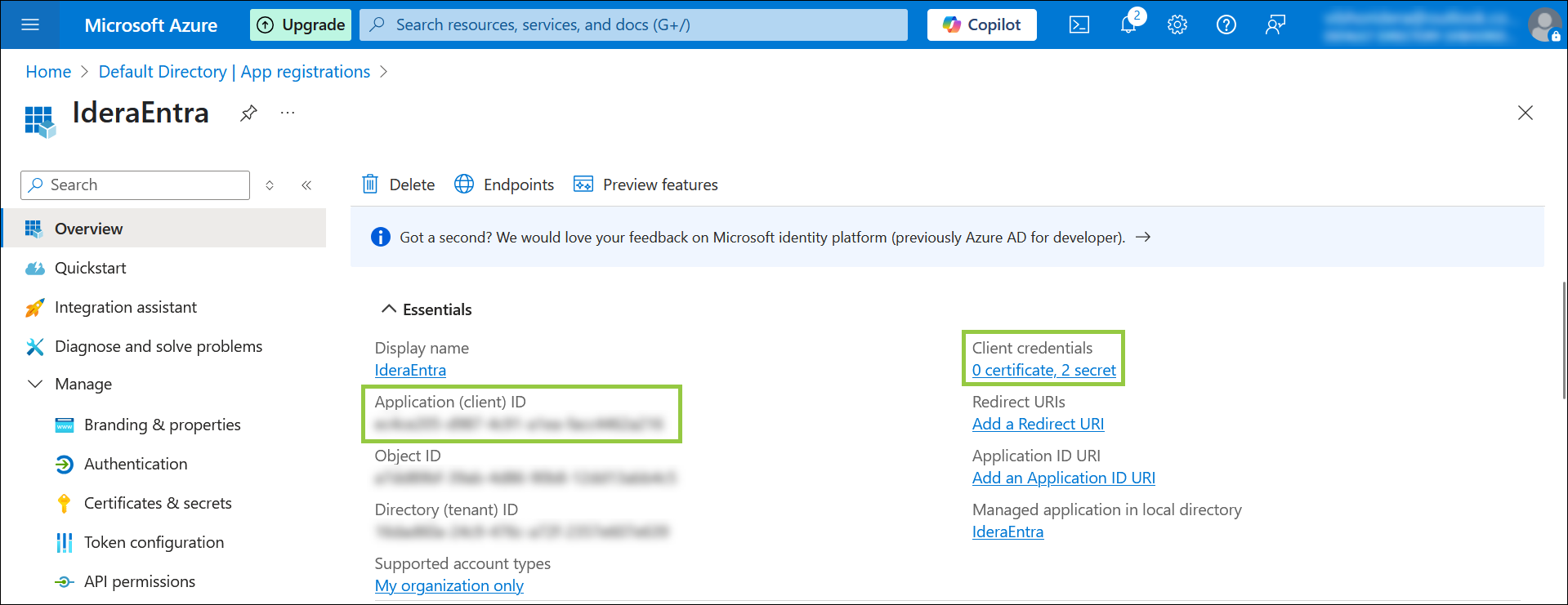
Copy and save it.
Click the secret hyperlink to obtain your Secret value if you have already created it. In case you need a secret value, you can create a new one.
Copy and save your Secret Value.
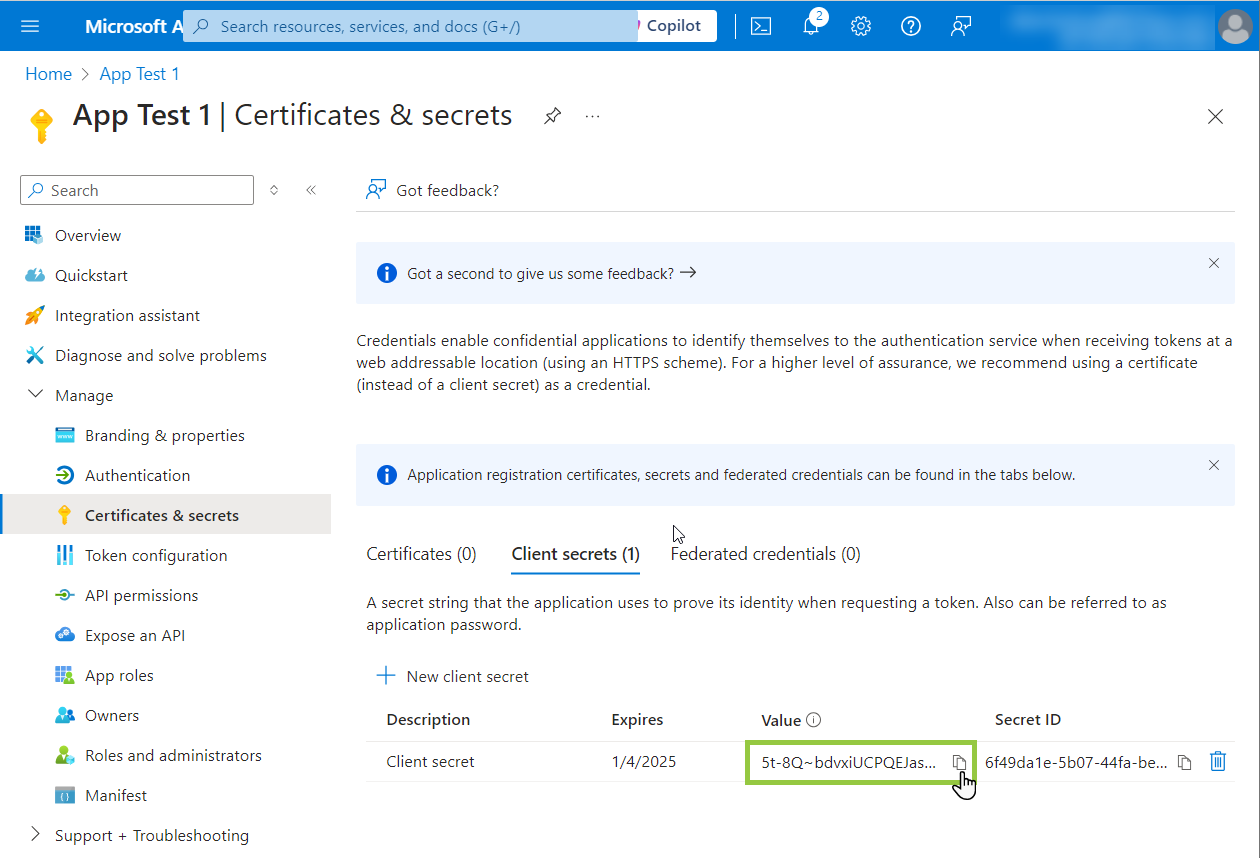
- Otherwise, you can create a new one.
...
| Warning |
|---|
You must save the Secret value once you create the Client Secret; otherwise, the next time you log in to the Azure Portal to check this value, it will be masked. If you lost or did not save the Secret value and you need it, create a new Client Secret and use the new Secret value instead. |