When you apply a filter to a worksheet, by default, it applies only to the current worksheet. Using the sharing filter functionality, you can share a filter with all worksheets using the same data source or selected worksheets. For selected worksheets, you can only select worksheets using the same data source.
To learn about creating filters, see Creating Filters.
This action applies a filter to all worksheets using the same data source. Visual Analytics automatically applies this filter to all existing worksheets. For new worksheets using the same data source, Visual Analytics applies the shared filter to the view immediately after a dimension or measure is placed in the Columns, Rows or Chart Properties Deck. Any changes you make to the shared filter affect all worksheets.
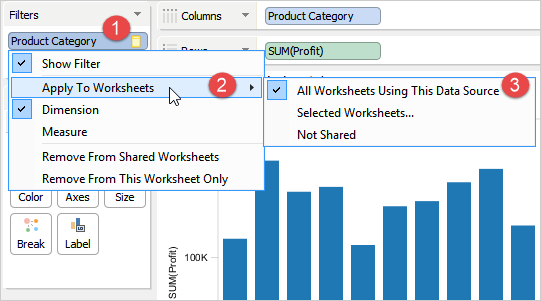
To apply a filter to all worksheets
 icon.
icon.This action opens a dialog listing only worksheets from the same data source. You can select the worksheets to which you want to apply the filter. Any changes you make to the shared filter affects the selected worksheets.
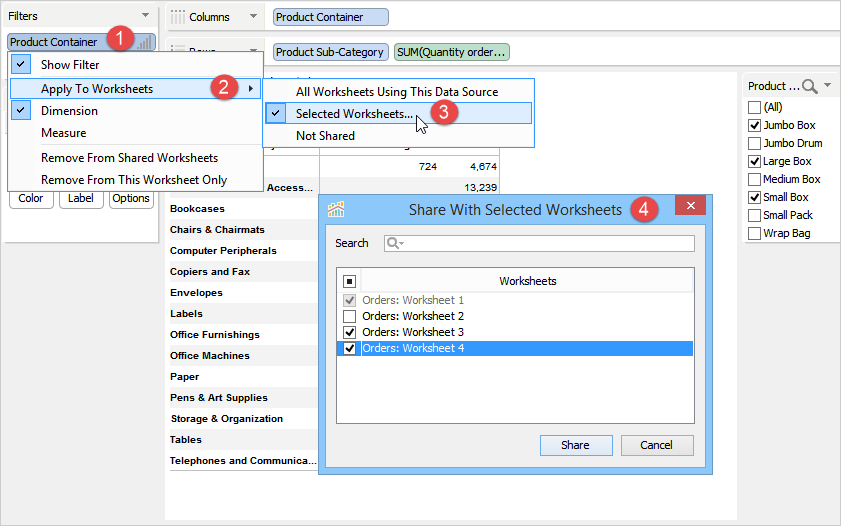
To apply a filter to selected worksheets
 icon.
icon.If a worksheet already had a filter applied and you apply a filter on the same field in a different worksheet and share the filter with other worksheets, then the shared filter replaces any existing filter also applied to the same field in other worksheets. For example, Orders: Worksheet 4 already had a filter applied to Product Container. Then, you apply a filter on the same field in Orders: Worksheet 1 and share this filter with Orders: Worksheet 4. Here, Visual Analytics will replace the filter applied to Product Container in Orders: Worksheet 4 with that of Orders: Worksheet 1, which would, in turn, change the filtered view of Orders: Worksheet 4.
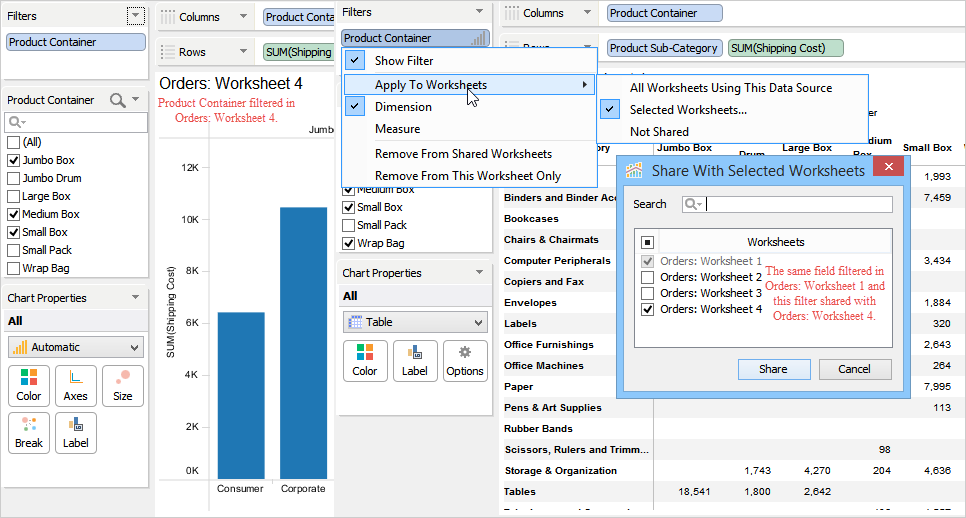
This action stops sharing the filter across all worksheets but does not delete the filter. Each worksheet has its own independent copy of the filter. The following will occur after choosing the Not Shared action:
and will be removed from all or selected worksheets with which it was originally shared.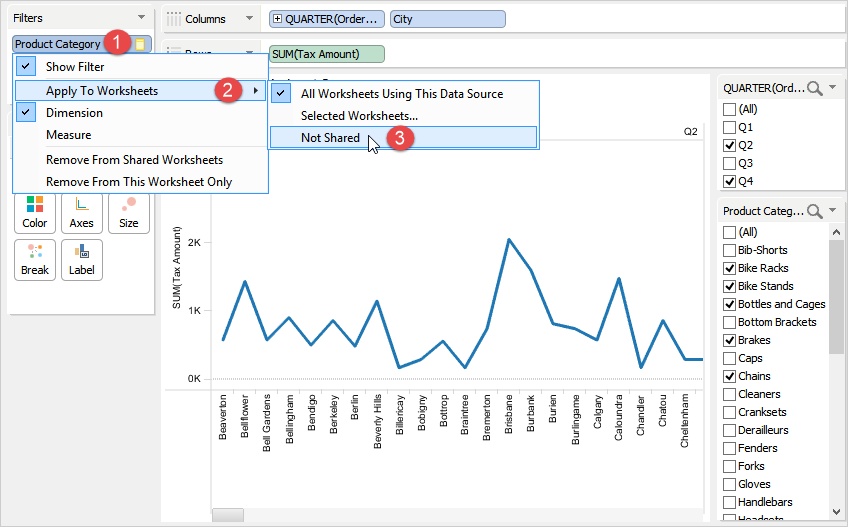
To stop sharing a filter with other worksheets
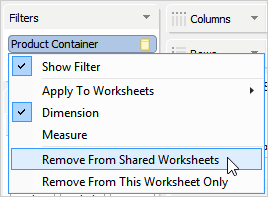
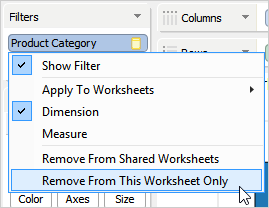
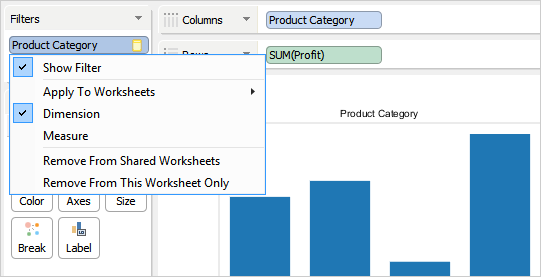
These options remove a filter from current or shared worksheets.
| Option | Description |
|---|---|
| Remove From Shared Worksheets | Removes shared filter from all worksheets. This option is available only after a filter is shared with other worksheets.
|
| Remove From This Worksheet Only | Removes shared filter only from the current worksheet. Other worksheets are not affected. This option is available only after a filter is shared with other worksheets.
|