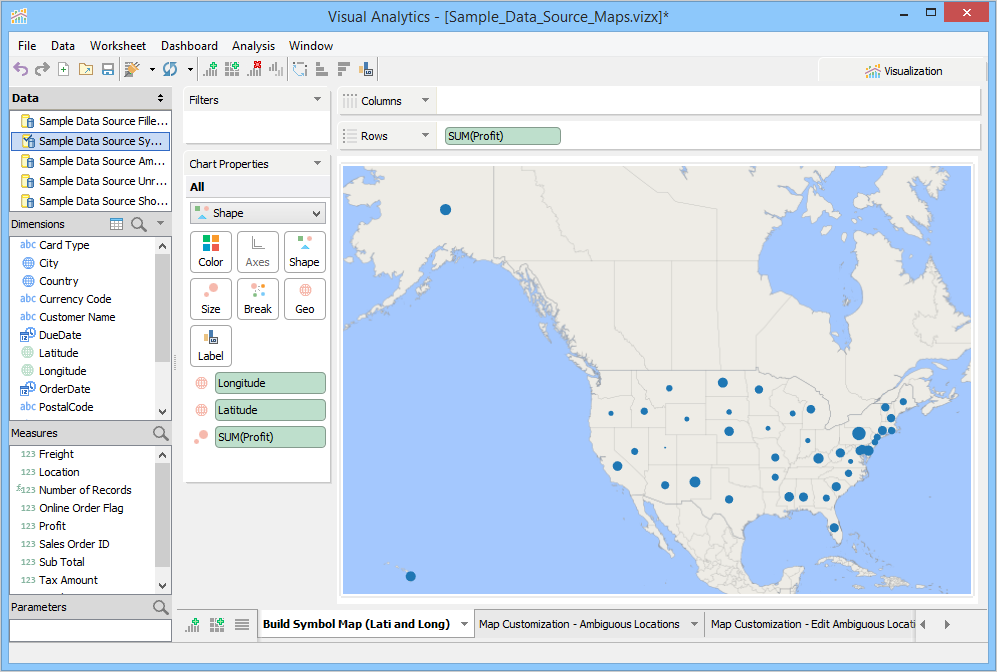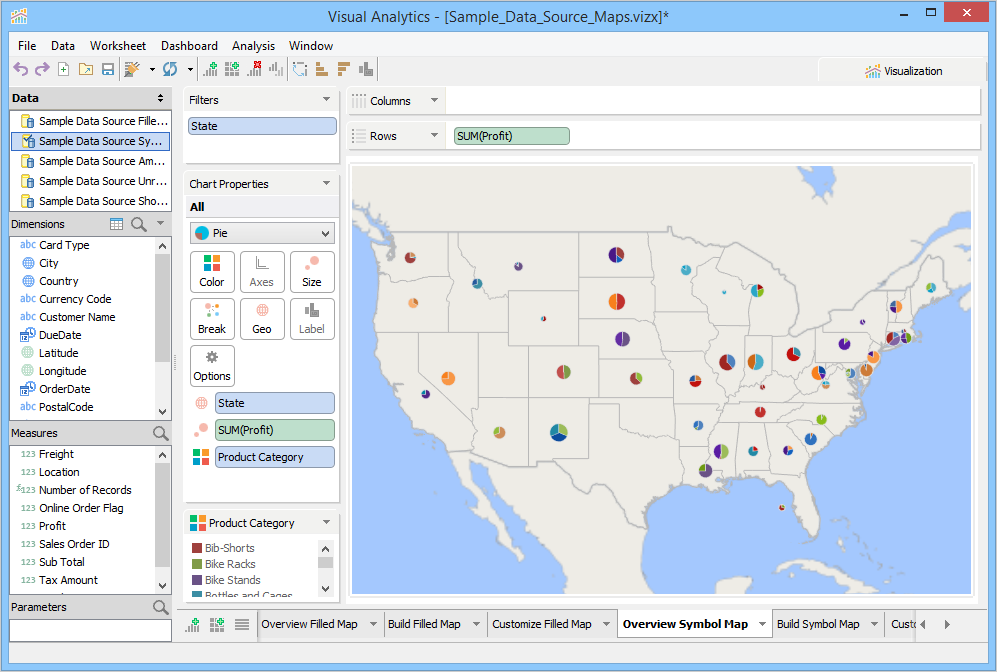
Symbol map is a very powerful feature that quickly shows geographical data by plotting shapes or pies at specific geo-locations.
Download and connect to the sample data source. We are making this chart using 1 dimension, 1 measure, and 1 geo dimension. |
You can build a symbol map chart via Visualization or from a Shape Chart or Pie Chart. The following procedure provides instructions to create a symbol map using Visualization.
To build a Symbol Map Chart
Connect to the sample data source in Aqua Data Studio.
From the Dimensions pane, select State and Product Category.
From the Measures pane, select Profit.
 tab and then click
  . Visualization builds a Symbol Map Chart.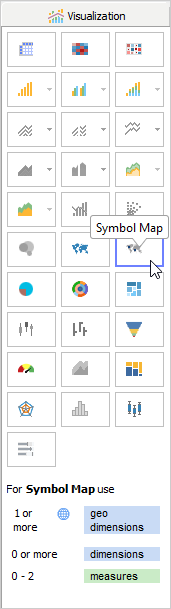
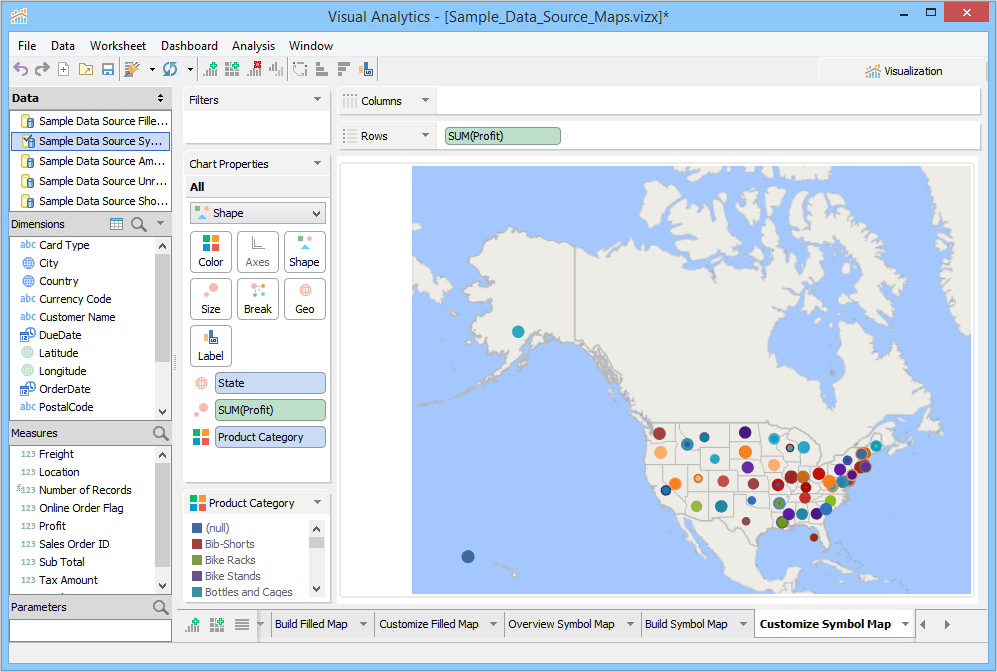
Visual Analytics automatically assigns geographic roles to number fields with common geographical names such as; Longitude and Latitude. You can also assign geographical roles to any number field. For more information, see Assign a Geographical Role.
To build a Symbol Map Chart
tab and then click  .
.Visualization builds a Symbol Map Chart and moves Longitude and Latitude to the Geo Deck and Profit to the Size and Rows Deck. It plots shape chart of different sizes, based on profits, at geographical locations based on the Latitude and Longitude values.