

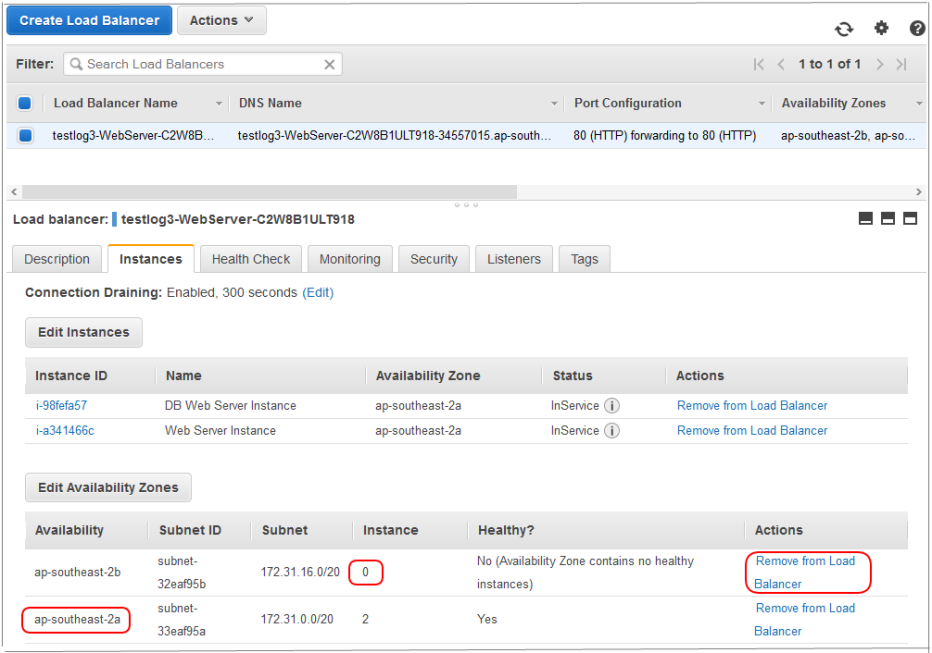
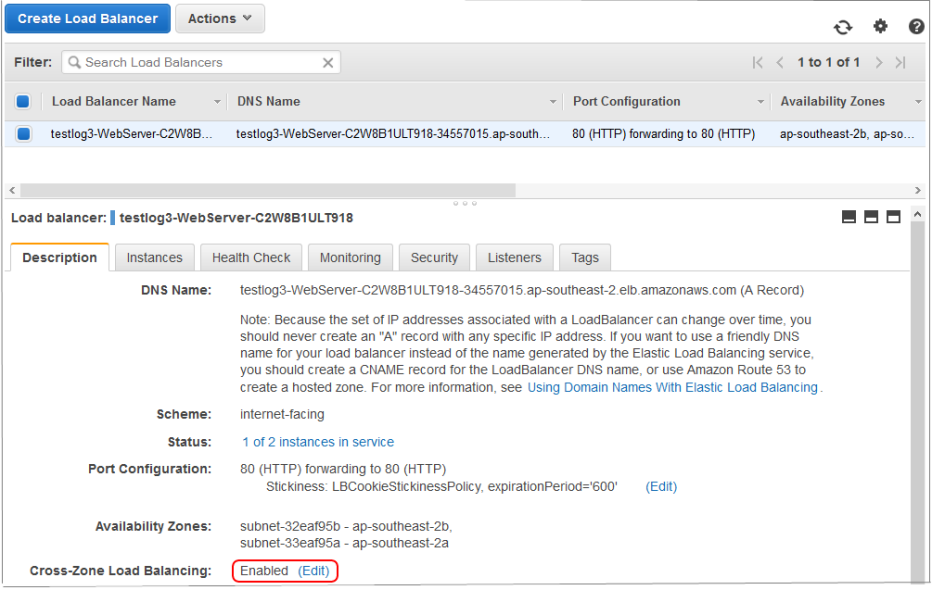
The default stack created by the LANSA templates is to create EC2 instances in all the Availability Zones (AZ) in the current Region. Once the stack has been created you may easily alter it to use a Single AZ. Using multiple AZs provides better fault tolerance but this comes at the expense of slower access to the database server from the AZ which the database server is not in. When the Sydney Region is used, there are 2 AZs. Benchmark tests achieved a 20% speed increase. This is because the network speed between AZs is slower than the network speed within an AZ. So, you may choose to lower your costs by choosing to use a Single AZ instead. The costs are lower because you may require 20% less resource to be running to support a particular workload.
This issue is exacerbated in Regions which have more AZs. For example, the Virginia Region has 4 AZs. In this case 3 out of 4 of the AZs are not the AZ of the database server. Hence 3 out of 4 (75%) transactions are slower, as compared to 1 out of 2 (50%) of the transactions in Sydney. Given that the redundancy provided by 4 AZs is probably unnecessary, AZs need to be removed. The same procedure below may be used to reduce the number of AZs from 4 to 2. When removing AZs from the Auto Scaling Group, leave 2 AZs rather than just the 1.
When you create the stack, do not specify extra web servers. Leave it set to the default of 0. Once the stack is fully operational you may make these changes. That is, use the application and test that it's working.