 from the view toolbar, or right-click and select Version Control -> Pull. Alternatively, display the View Branches dialog, right-click a remote branch and select Pull. The Pull dialog is displayed: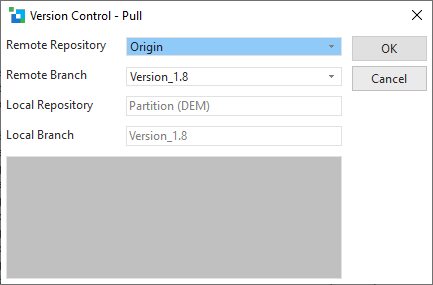
Pull gets changes from the selected remote repository into the current local branch.
To use this action, navigate to the Git repository folder in the Version Control tab. Select the Pull button from the view toolbar, or right-click and select Version Control -> Pull. Alternatively, display the View Branches dialog, right-click a remote branch and select Pull. The Pull dialog is displayed:
Remote repository | The remote Git repository that is the source of the pull operation. |
|---|---|
Remote branch | The remote branch to merge into the current branch. The branch corresponding to the current local branch is selected by default. |
Local repository | The selected local repository. |
Local Branch | The current local branch for the selected repository. |
When you click OK, the output from the Git command is shown in the text box. If a merge conflict exists, the files in conflict are shown in the repository with a Git Status of Conflict. This can be resolved using the Resolve Conflict menu option. Other errors may need to be resolved externally using the Git command line or a third-party tool.