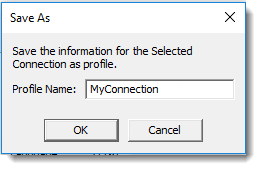
Enter the name you wish to give to the Profile Details in the future, and then press OK.
Use this option to save the details in the Profile Details area for use at a later date. In order to identify the saved details (called a Profile) you must give them a name.
Enter the name you wish to give to the Profile Details in the future, and then press OK.
If you press the Save button, the current connection parameters will be saved to the selected Profile Name.
To delete a Profile, select the Profile that you want to delete from the Profile drop down list and press the Delete button. You will be asked to confirm the deletion. Note that you cannot delete the <Default> Profile.
If you press the Reset button, all parameters for the Profile Details and the related Advanced settings will be reset to their default values.
If you are running a non-English system, select the Advanced button to open the Advanced System Options dialog box.