From the toolbar select the
Options
menu and then choose the
Group By…
command.
Alternatively, you could select the
Set the result grouping options
icon from the toolbar.
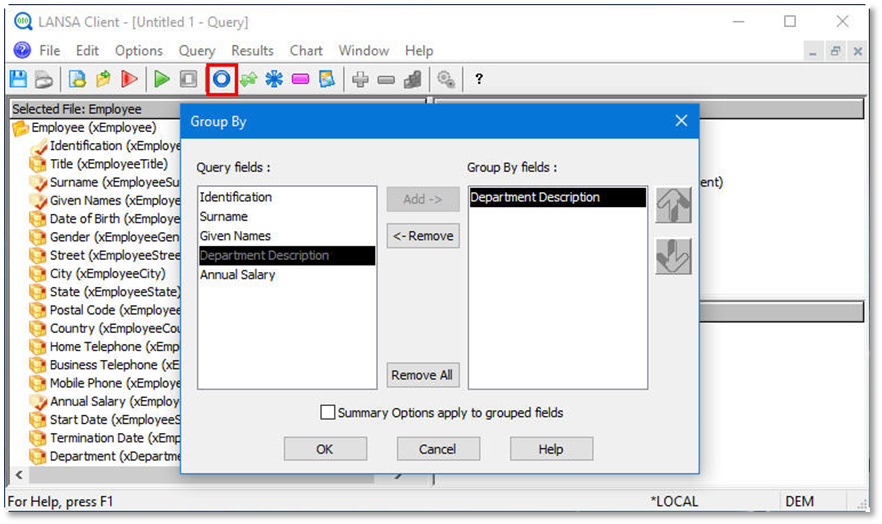
Group your data by Department Description.
Do not yet apply summary options to your grouped fields.
Click the
OK
button to continue.
 Set the result grouping options icon from the toolbar.
 Set the result grouping options icon from the toolbar.