See Installing Your VLF Environment On IBM i Servers in the Visual LANSA Framework guide.
Basic troubleshooting:
Ensure the Apache http server instance is started. | On the IBM i, ensure that the Apache http server instance is started. To start it type:
|
Ensure the web user profile has appropriate access to the images directory. | On the IBM i, ensure that the profile being used for web access has Read/Write (*RWX) authority to the images directory, (Use WRKLNK to find the directory on the IBM i, and then option 9 to work with authorities). |
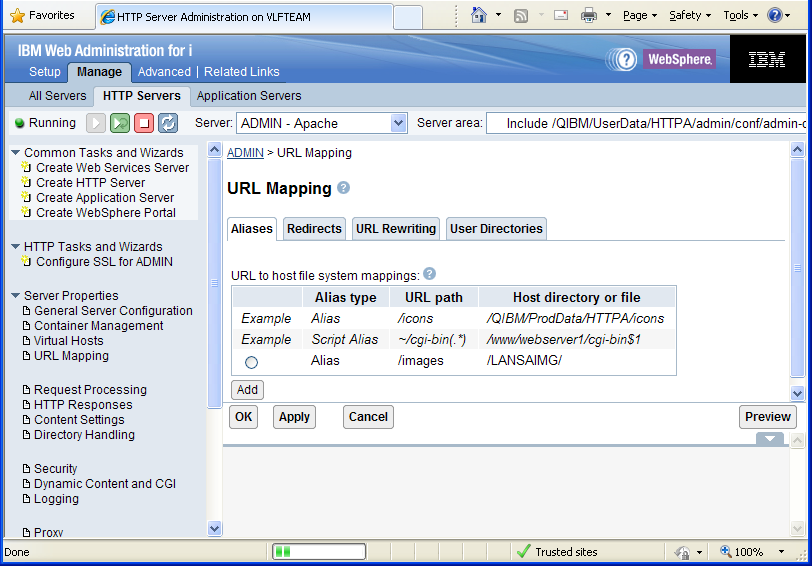
Ensure the link between images alias and the actual IFS directory is defined correctly | Always define the link between the images alias and the actual IFS directory using the HTTP server Administration (ADMIN) facility. |
You may want to refer to How to start the HTTP server Administration (ADMIN) facility.