Start your Visual LANSA development environment using your chosen partition. Then use the Tools -> VL Framework - As Designer option to start the shipped Framework as a designer.
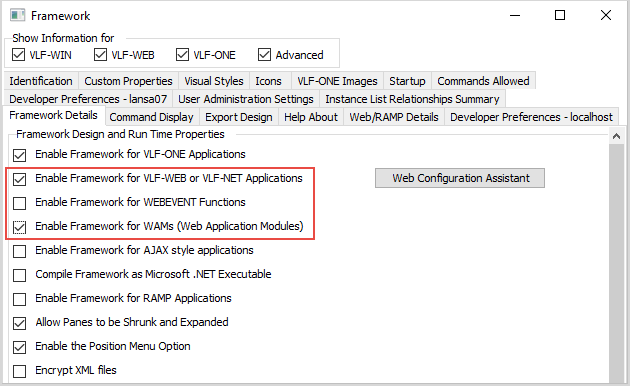
Use the (Framework) and then (Properties…) menu items to display the Framework properties folder. Switch to the Framework Details tab.
Check:
Switch to the User Administration Settings tab and uncheck the Use Framework Authority and Users check box. (For the moment we are disabling the user and authority checking to simplify the installation and verification process. Later on, these options can be enabled again if required.)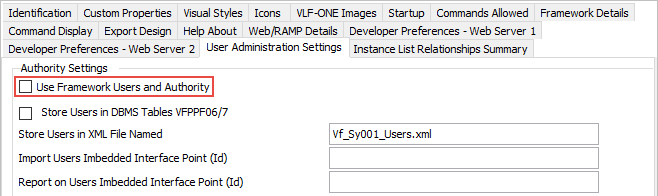
Shut down the Framework and save the changes you have just made.