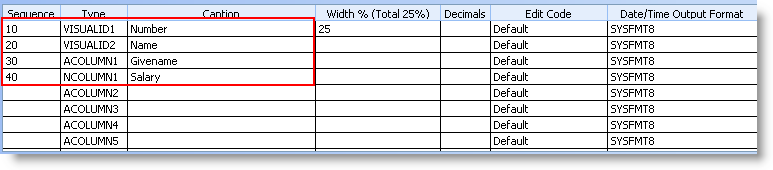
In this step, you will configure your Employee business object to make the extra columns visible in the instance list.
Two visual identifiers are already defined. Add two additional columns:
| Column Sequence | Column Type | Column Caption |
|---|---|---|
30 | ACOLUMN1 | Givename |
40 | NCOLUMN1 | Salary |
Note: the 'Enable Clear List Button' checkbox has no effect in your own Instance Lists. |