In this step, you will establish the relationship between the Company Departments and Department Sections business objects.
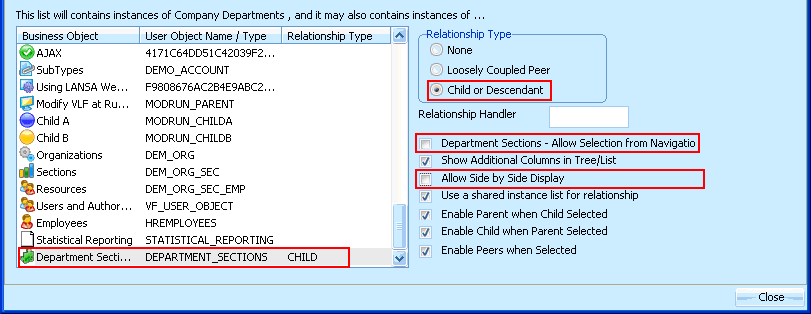
- Display the properties of the Company Departments object.
- Click on the Instance List / Relations tab.
- In the list in the lower left portion of the screen scroll down and select the Department Sections business object.
- In the Relationship Type group box on the right select the Child or Descendant radio button.
- Deselect the check box Allow Selection from Navigation Pane.
- Deselect the check box Allow Side by Side display.
- Click the Close button in the message that appears.
- Click the Close button.
- Save and restart the Framework.
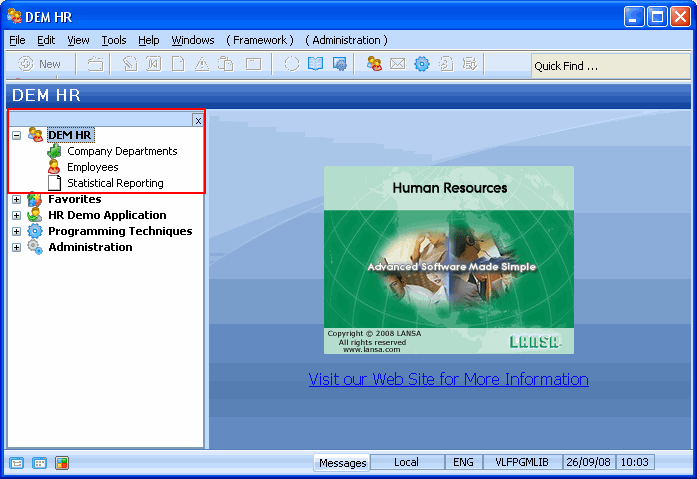
- Open the iii HR application. Notice that the Department Sections business object is no longer displayed in the navigation pane.
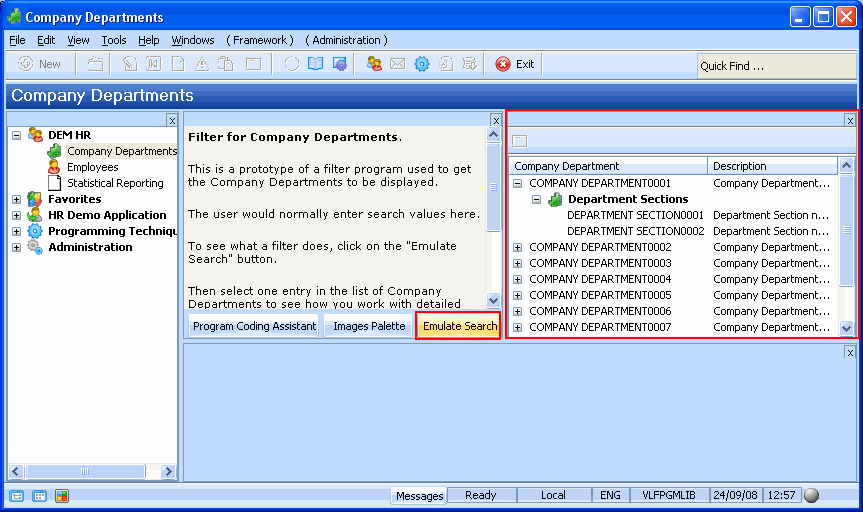
- Select the Company Departments business object and click on the Emulate Search button in the mock-up filter. Expand one of the Company Departments in the instance list. Notice that the emulated data shows its child business objects, the Department Sections.
- Close the application.